
Lily's Diary
更新日
現在のバージョン
1.0.14
提供元

スマホ不要!プロ選手のようにキーボードとマウスで操作しよう。MEmuエミュはあなたにすべての期待を与える。電池が切れてしまうとか画面が小さいとかの問題を心配する必要がなくて、存分Lily's Diaryを楽しんでください。新しいMEmuエミュ7はPCでLily's Diaryをプレイするのに最適!完璧なキーマッピングシステムにより、まるでパソコンゲームみたい。マルチインスタンスで複数のゲームやアプリを同時に実行!唯一無二な仮想化エンジンがパソコンの可能性を最大限になる。遊べるだけでなく、より楽しめる!
もっと見る
Lily's DiaryをPCでダウンロード!大画面でより楽しむ。電源が落ちてしまうとか通信料が足りないとかの問題を心配する必要がなく、PCの大画面でより快適にゲームを楽しましょう! このゲームは広告付きで無料プレイできます。
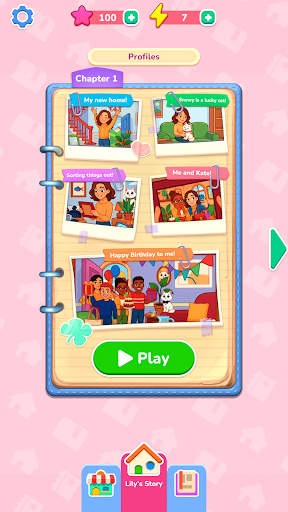
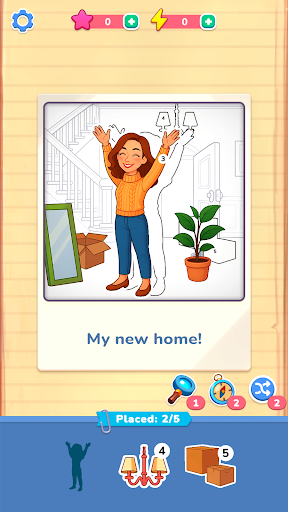
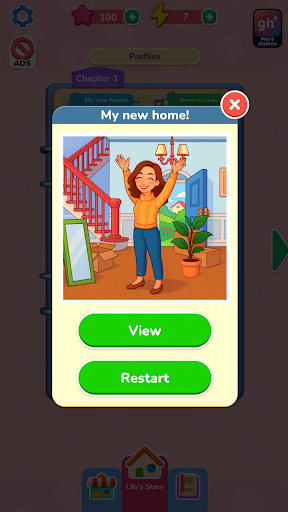
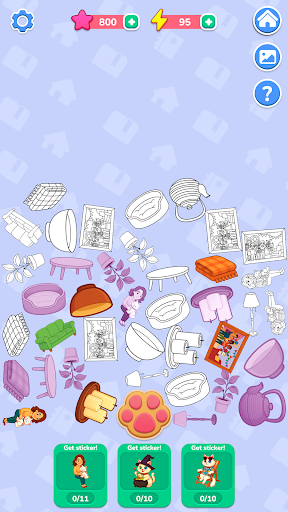
このゲームは広告付きで無料プレイできます。Gamehouse+アプリでさらに多くのゲームをお楽しみください!Gamehouse+無料会員になると、100種類以上のゲームが広告付きでアンロックされます。Gamehouse+ VIP会員になると、すべてのゲームが広告なしでプレイでき、オフラインプレイ、限定ゲーム内報酬など、様々な特典が受けられます!
リリーと一緒に新しい生活を始め、冒険の記録を日記に綴りましょう。番号付きのステッカーをドラッグ&ドロップして配置することで、写真のようなシーンが蘇り、思い出が生き生きと蘇ります。これは、定番の塗り絵パズルに斬新でクリエイティブなひねりを加えたゲームです。形を合わせ、番号に従って、必要な時はブースターを使ってヒントを得ましょう。完成した写真には、リリーの日常の様々な瞬間が映し出されます。友情や趣味、休日、そして日々を彩るささやかな喜びなど、リリーの大切な思い出が詰まっています。
写真を修復していくとエネルギーが貯まり、リリーのいたずら好きな猫、スノーウィーの秘密の物語を解き明かすことができます。足跡ボタンをタップしてアイテムを集め、ステッカーに合成して、スノーウィーのアルバムの特別なシーンをアンロックしましょう。すべてのステッカーを集めて、スノーウィーの冒険の隠された一面を明らかにしましょう。
40以上のリラックスできるレベル、10の秘密の物語、そして落ち着いたドラッグ&ドロップ操作で楽しめる「リリーの日記」は、ステッカーを貼るたびに思い出が蘇る、創造的なひとときを提供します。
特徴:
写真の復元
番号の付いたステッカーをドラッグ&ドロップして、リリーの思い出を再構築しましょう。
簡単マッチング
数字と形に合わせて、スムーズで満足感のある配置を。
便利なブースター
行き詰まった時は、ヒントを使って正しい場所を素早く見つけましょう。
スノーウィーの秘密の物語
アイテムを集めてステッカーに合成し、ボーナスレベルをアンロックしましょう。
エネルギーと報酬
写真を復元してエネルギーを獲得し、それを使ってスノーウィーの冒険を明らかにしましょう。
心地よいゲームプレイ
40種類以上のリラックスできるシーンと10種類の隠されたストーリーを、自分のペースでお楽しみください。
新機能!gamehouse+アプリで、あなたにぴったりの遊び方を見つけよう! GH+無料会員なら、広告付きで100種類以上のゲームを無料でプレイできます。GH+ VIPにアップグレードすれば、広告なしのプレイ、オフラインアクセス、限定ゲーム内特典など、さらに多くの特典が受けられます。gamehouse+は単なるゲームアプリではありません。どんな気分にも、どんな「自分時間」にもぴったりの、あなただけのプレイタイムを演出します。今すぐ登録!
もっと見る

1. MEmuインストーラーをダウンロードしてセットアップを完了する

2. MEmuを起動し、デスクトップでのPlayストアを開く

3. PlayストアでLily's Diaryを検索する
Install
4. Lily's Diaryをダウンロードしてインストールする
5. インストールが完了したら、アイコンをクリックしてスタート

6. MEmuを使用してPCでLily's Diaryを楽しむ
MEmu App Playerは最高の無料で提供されるAndroidエミュレータで、5,000万人がすでに優れたAndroidゲーム体験を楽しんでいます。 MEmuの仮想化技術は、あなたのPCで何千ものAndroidゲームを快適にプレイすることを可能にします。
大画面でより精細;無限の待機、電池とドラフィックの極限を超え
キーボード・マウス・コントローラーを全力でサポート、より快適
マルチインスタンスで複数のゲームを同時に実行
Play Lily's Diary on PC by following steps: