
Lily's Diary
Diupdate
Versi Saat Ini
1.0.14
Ditawarkan Oleh

Dengan sepenuh kebulatan hati Anda dalam memainkan Lily's Diary, tangan Anda tak seharusnya hanya terbatas pada layar kecil handphone Anda.Bermainlah layaknya seorang profesional dan dapatkan kendali penuh dalam permainan Anda dengan papan ketik dan tetikus.MEmu menawarkan seluruh hal yang Anda harapkan.Unduh dan mainkan Lily's Diary pada PC. Bermainlah selama yang Anda inginkan, tanpa keterbatasan dari baterai, data seluler dan panggilan yang mengganggu.MEmu 9 baru merupakan pilihan terbaik untuk memainkan Lily's Diary pada PC. Dipersiapkan bersama teknologi ahli kami, sistem pemetaan kunci preset yang canggih menjadikan Lily's Diary sebagai permainan PC sejati.Manajer banyak hal dari MEmu memungkinkan Anda untuk memainkan 2 atau banyak akun pada perangkat yang sama.Dan yang terpenting, mesin emulasi eksklusif kami bisa melepaskan potensi penuh PC Anda, membuat segalanya berjalan lancar.
Tampilkan Lebih banyak
Unduh Lily's Diary di PC dengan Emulator Android MEmu. Nikmati permainan pada layar yang besar. Mainkan game ini secara GRATIS dengan iklan – atau dapatkan lebih banyak game dengan aplikasi gamehouse+!


Mainkan game ini secara GRATIS dengan iklan – atau dapatkan lebih banyak game dengan aplikasi gamehouse+! Buka 100+ game dengan iklan sebagai anggota GH+ Gratis, atau bergabung dengan GH+ VIP untuk menikmati SEMUA game tanpa iklan, bermain offline, mendapatkan hadiah eksklusif dalam game, dan banyak lagi!
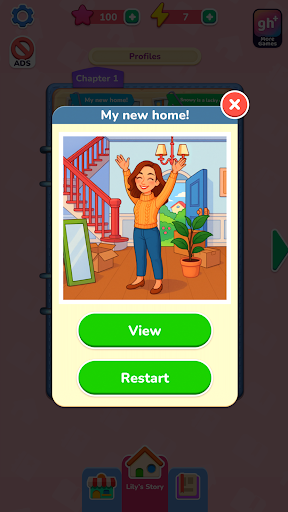
Mulailah dari awal bersama Lily saat ia menetap di rumah barunya dan mulai menulis buku harian tentang petualangannya. Setiap kenangan menjadi hidup melalui adegan bergaya foto yang Anda pulihkan dengan menyeret dan menempatkan stiker bernomor — sentuhan segar dan kreatif pada teka-teki mewarnai berdasarkan angka klasik. Cocokkan bentuk, ikuti angka, dan gunakan booster kapan pun Anda membutuhkan sedikit bantuan. Setiap foto yang selesai mengungkapkan momen lain dari kehidupan sehari-hari Lily, mulai dari persahabatan dan hobi hingga liburan dan kegembiraan kecil yang membuat setiap hari bermakna.
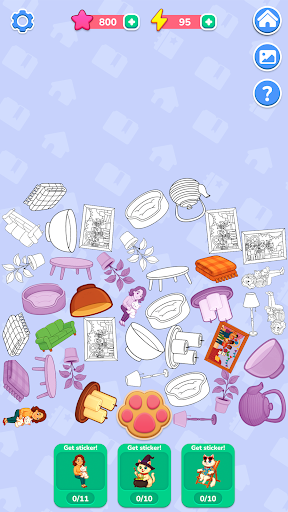
Saat Anda memulihkan foto, Anda akan mendapatkan energi untuk mengungkap kisah rahasia tentang Snowy, kucing nakal Lily. Ketuk tombol jejak kaki untuk mengumpulkan item, menggabungkannya menjadi stiker, dan membuka adegan khusus di album Snowy. Kumpulkan setiap stiker untuk mengungkap sisi tersembunyi dari petualangan Snowy.
Dengan lebih dari 40 level yang menenangkan, 10 cerita rahasia, dan gameplay seret dan letakkan yang tenang, Lily's Diary menawarkan pelarian kreatif di mana setiap stiker menghidupkan kembali sebuah kenangan.
FITUR:
Pulihkan Foto
Seret dan letakkan stiker bernomor untuk membangun kembali kenangan Lily.
Pencocokan Mudah
Ikuti angka dan bentuk untuk penempatan yang lancar dan memuaskan.
Booster yang Membantu
Gunakan petunjuk untuk dengan cepat menemukan tempat yang tepat saat Anda kesulitan.
Cerita Rahasia Snowy
Kumpulkan dan gabungkan item menjadi stiker untuk membuka level bonus.
Energi & Hadiah
Dapatkan energi dengan memulihkan foto dan gunakan untuk mengungkap petualangan Snowy.
Alur yang Nyaman
Nikmati 40+ adegan santai dan 10 cerita tersembunyi untuk diselesaikan sesuai kecepatan Anda sendiri.
BARU! Temukan cara bermain yang sempurna dengan aplikasi gamehouse+! Nikmati 100+ game gratis dengan iklan sebagai anggota GH+ Gratis atau tingkatkan ke GH+ VIP untuk bermain tanpa iklan, akses offline, keuntungan eksklusif dalam game, dan banyak lagi. gamehouse+ bukan hanya aplikasi game biasa—ini adalah tujuan bermain Anda untuk setiap suasana hati dan setiap momen 'me-time'. Berlangganan hari ini!
Tampilkan Lebih banyak

1. Unduh dan instal MEmu APP

2. Menjalankan MEmu lalu buka Google Play di halaman

3. Cari Lily's Diary di Google Play
Install
4. Unduh dan instal Lily's Diary
5. Setelah insatl APP selesai,klik ikon untuk mulai

6. Nikmati bermain Lily's Diary di PC dengan MEmu
MEmu App Player adalah emulator Android gratis terbaik dan 50 Juta orang sudah menikmati pengalaman luar biasa dalam bermain gim Android. Teknologi virtualisasi MEmu memberi kekuasaan untuk memainkan ribuan gim Android dengan lancar di PC anda, bahkan gim dengan grafis yang paling tinggi.
Layar lebih besar dengan grafis yang lebih baik; durasi panjang, tanpa batasan baterai atau data seluler.
Didukung penuh oleh Pemetaan tombol yang lengkap untuk keakuratan kontrol keyboard dan mouse maupun gamepad.
Membuka beberapa akun game atau tugas di waktu yang sama hanya pada satu PC, dengan Multi-Instance manager.
Play Lily's Diary on PC by following steps: