
Lily's Diary
อัปเดตเมื่อ
เวอร์ชันปัจจุบัน
1.0.14
ให้บริการโดย

เวลาคุณเล่น Lily's Diary, คุณอาจรู้สึกว่ามือคุณอาจบังจอแล้วทำให้ไม่ได้เล่นแบบเต็มที่. เล่นแบบไร้ขีดจำกัดด้วยเม้าส์และคีย์บอร์ด. MEmu มีตัวเลือกหลายอย่างให้คุณใช้งานเกมที่คุณเล่นแบบที่คุณต้องการ. ดาวน์โหลดและเล่น Lily's Diary บน PC. เล่นนานแค่ไหนก็ได้, ไม่ต้องชาร์จแบตเตอรี่, หรือเจอคนโทรเข้ามาระหว่างเล่น. MEmu 9 เป็นตัวเลือกสำหรับการเล่น Lily's Diary บน PC. ทางทีมงานเราได้ปรับแต่งเกม, ปรับให้เล่นเกมบางเกมได้เหมือนเล่น Lily's Diary เป็นเกม PC เช่นเล็งด้วยเม้าส์หรือใช้คีย์บอร์ด. ระบบของเรายังทำให้คุณสามารถเปิดเล่นได้มากกว่า 2 เกมพร้อมๆกันในคอมของคุณ. และที่สำคัญที่สุด, ระบบโปรแกรมของเราสามารถทำให้คุณใช้ระบบของ PC ทำให้เกมลื่นเหมือนกับใช้โทรศัพท์รุ่นล่าสุด. เราไม่ได้ดูแลเรื่องการเล่นเกม, แต่เราดูแลถึงความสนุกสนานที่คุณได้จากการเล่นด้วย.
แสดงเพิ่มเติม
ดาวน์โหลด Lily's Diary บน PC ด้วย MEmu Android Emulator สนุกกับการเล่นบนหน้าจอขนาดใหญ่ เล่นเกมนี้ได้ฟรีพร้อมโฆษณา – หรือรับเกมเพิ่มเติมอีกมากมายด้วยแอป Gamehouse+!
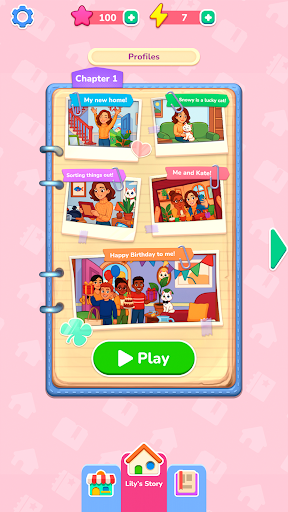
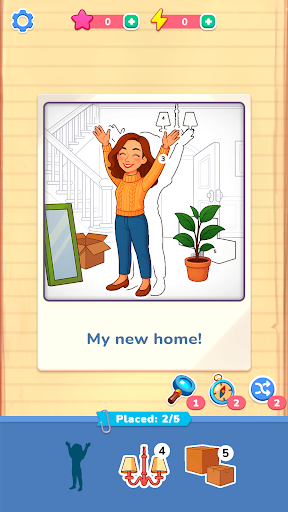
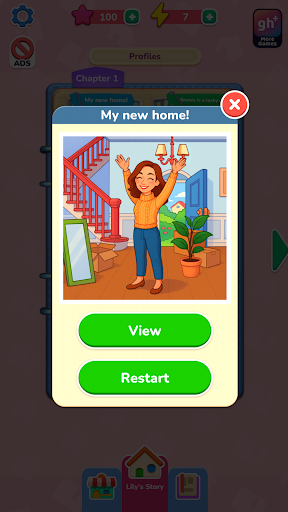
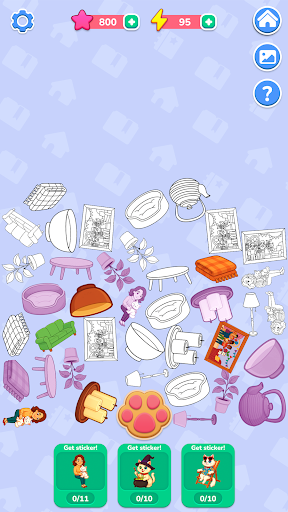
เล่นเกมนี้ได้ฟรีพร้อมโฆษณา – หรือรับเกมเพิ่มเติมอีกมากมายด้วยแอป Gamehouse+! ปลดล็อกเกมกว่า 100 เกมพร้อมโฆษณาในฐานะสมาชิก GH+ ฟรี หรือสมัคร GH+ VIP เพื่อสนุกกับเกมทั้งหมดแบบไม่มีโฆษณา เล่นแบบออฟไลน์ รับรางวัลพิเศษในเกม และอีกมากมาย!
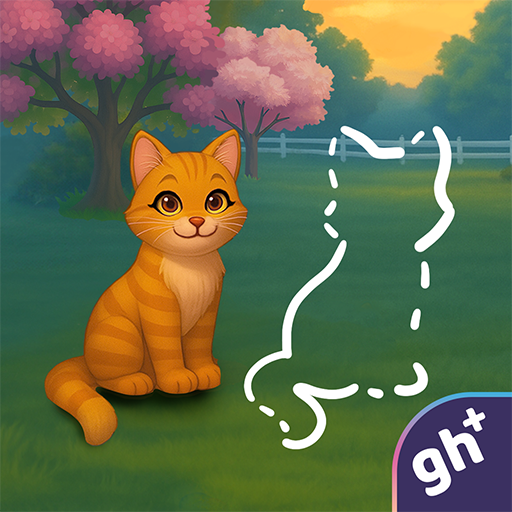
เริ่มต้นใหม่กับลิลี่เมื่อเธอเข้าบ้านใหม่และเริ่มเขียนบันทึกการผจญภัยของเธอ ความทรงจำแต่ละอย่างจะกลับมามีชีวิตชีวาผ่านฉากสไตล์ภาพถ่ายที่คุณฟื้นฟูโดยการลากและวางสติกเกอร์หมายเลข – เป็นการพลิกโฉมใหม่ที่สร้างสรรค์ของเกมระบายสีตามตัวเลขแบบคลาสสิก จับคู่รูปทรง ทำตามตัวเลข และใช้บูสเตอร์เมื่อใดก็ตามที่คุณต้องการความช่วยเหลือเล็กน้อย ภาพถ่ายที่สมบูรณ์แต่ละภาพเผยให้เห็นช่วงเวลาต่างๆ จากชีวิตประจำวันของลิลี่ ตั้งแต่มิตรภาพและงานอดิเรกไปจนถึงวันหยุดและความสุขเล็กๆ น้อยๆ ที่ทำให้แต่ละวันมีความหมาย
เมื่อคุณฟื้นฟูภาพถ่าย คุณจะได้รับพลังงานเพื่อเปิดเผยเรื่องราวลับๆ เกี่ยวกับสโนวี่ แมวซนของลิลี่ แตะปุ่มรูปอุ้งเท้าเพื่อรวบรวมไอเท็ม รวมเข้าด้วยกันเป็นสติกเกอร์ และปลดล็อกฉากพิเศษในอัลบั้มของสโนวี่ สะสมสติกเกอร์ทั้งหมดเพื่อเปิดเผยด้านที่ซ่อนเร้นของการผจญภัยของสโนวี่
ด้วยด่านผ่อนคลายกว่า 40 ด่าน เรื่องราวลับ 10 เรื่อง และรูปแบบการเล่นแบบลากและวางที่ราบรื่น สมุดบันทึกของลิลลี่มอบการหลีกหนีจากความจริงอย่างสร้างสรรค์ ที่ซึ่งสติกเกอร์แต่ละชิ้นจะนำความทรงจำกลับมามีชีวิตอีกครั้ง
คุณสมบัติ:
ฟื้นฟูภาพถ่าย
ลากและวางสติกเกอร์ที่มีหมายเลขเพื่อสร้างความทรงจำของลิลลี่ขึ้นมาใหม่
จับคู่ได้ง่าย
ทำตามตัวเลขและรูปทรงเพื่อการวางที่ราบรื่นและน่าพึงพอใจ
ตัวช่วยที่เป็นประโยชน์
ใช้คำใบ้เพื่อค้นหาจุดที่ถูกต้องอย่างรวดเร็วเมื่อคุณติดขัด
เรื่องราวลับของสโนวี่
รวบรวมและรวมไอเท็มเข้ากับสติกเกอร์เพื่อปลดล็อกด่านโบนัส
พลังงานและรางวัล
รับพลังงานจากการฟื้นฟูภาพถ่ายและใช้มันเพื่อเปิดเผยการผจญภัยของสโนวี่
ความก้าวหน้าที่แสนสบาย
เพลิดเพลินไปกับฉากผ่อนคลายกว่า 40 ฉากและเรื่องราวลับ 10 เรื่อง เพื่อเล่นให้จบในแบบของคุณเอง
ใหม่! ค้นพบวิธีการเล่นที่ลงตัวที่สุดของคุณด้วยแอป gamehouse+! สนุกกับเกมกว่า 100 เกมได้ฟรีพร้อมโฆษณาในฐานะสมาชิก GH+ Free หรืออัปเกรดเป็น GH+ VIP เพื่อเล่นแบบไม่มีโฆษณา เข้าถึงแบบออฟไลน์ สิทธิพิเศษในเกม และอื่นๆ อีกมากมาย gamehouse+ ไม่ใช่แค่แอปเกมธรรมดาๆ แต่เป็นจุดหมายปลายทางแห่งการเล่นของคุณสำหรับทุกอารมณ์และทุกช่วงเวลาแห่งการพักผ่อน สมัครสมาชิกวันนี้!
แสดงเพิ่มเติม

1. ดาวน์โหลดตัวติดตั้ง MEmu และสิ้นสุดการติดตั้ง

2. เริ่ม MEmu จากนั้นเปิด Google Play บนหน้าแรก

3. ค้นหา Lily's Diary ใน Google Play
Install
4. ดาวน์โหลดและติดตั้ง Lily's Diary
5. เมื่อติดตั้งเสร็จให้คลิกที่ไอคอนเพื่อเริ่มใช้งาน

6. สนุกกับการเล่น Lily's Diary บนพีซีด้วย MEmu
MEmu App Player เป็นอีมูเลเตอร์ Android ที่ดีที่สุดและผู้คนกว่า 50 ล้านคนเพลิดเพลินไปกับประสบการณ์การเล่นเกม Android ที่ยอดเยี่ยม เทคโนโลยีการจำลองเสมือนของ MEmu ช่วยให้คุณเล่นเกม Android หลายพันเกมได้อย่างราบรื่นบนพีซีของคุณแม้แต่เกมที่ต้องใช้กราฟิกมากที่สุด
จอใหญ่และกราฟฟิกสวยกว่า; เล่นได้นาน, ไม่ต้องใช้แบตเตอรี่โทรศัพท์หรือเน็ตโทรศัพท์.
ระบบปรับแต่งปุ่มคีย์บอร์ดและเม้าส์ตามที่คุณเลือก
เล่นมากกว่าหนึ่งเกมบน PC ในเวลาเดียวกันด้วยระบบหลายจอหรือ Multi-Instance manager.
Play Lily's Diary on PC by following steps:


































![[ไกด์เกม] CookieRun Classic แนะนำ 5 คุกกี้น่าปั้น น่าลงทุน ที่มือใหม่ห้ามพลาด! (เล่นบน PC ผ่าน MEmu ให้ลื่นสุด ๆ) PC](https://www.memuplay.com/blog/wp-content/uploads/2026/08/579c01ab-a953-45b3-8115-9b6279b7d6f9.png)