Block Blast Adventure Master
Updated
Current Version
10.8.0
Offered By

With your passion for Block Blast Adventure Master, you shouldn’t have to limit yourself to the small screen of a phone. Play like a pro and take full control of the game using a keyboard and mouse. MEmu gives you everything you’re looking for. Download and play Block Blast Adventure Master on PC. Play as long as you want — no more worries about battery life, mobile data, or unexpected calls. The all-new MEmu 9 is the best way to play Block Blast Adventure Master on PC. With our expertly designed keymapping system, Block Blast Adventure Master feels just like a real PC game. The MEmu multi-instance manager lets you run two or more accounts on the same device at the same time. Most importantly, our exclusive emulation engine unlocks your PC’s full potential, delivering smooth and seamless performance.
Show more
Download Block Blast Adventure Master on PC with MEmu Android Emulator. Enjoy playing on big screen. Welcome to Block Blast, a relaxing block puzzle for fans of puzzle games, offline games, and single-player games!
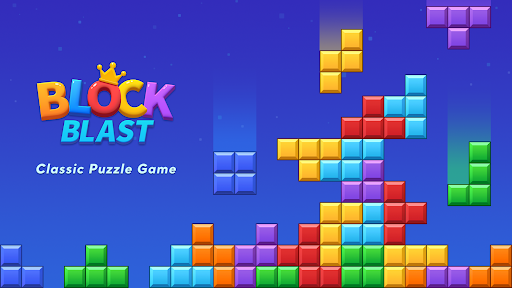
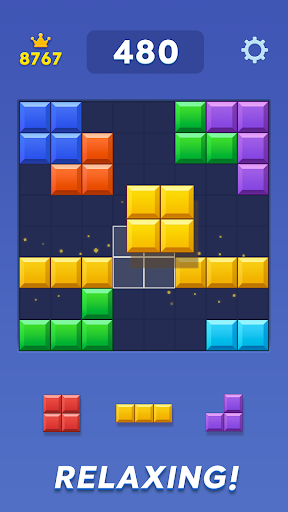
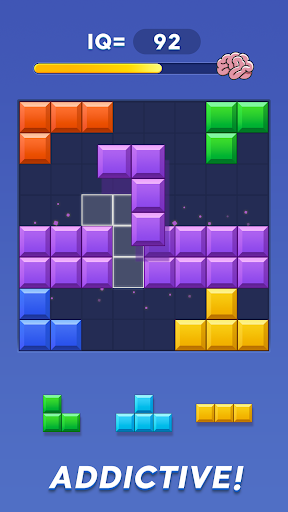
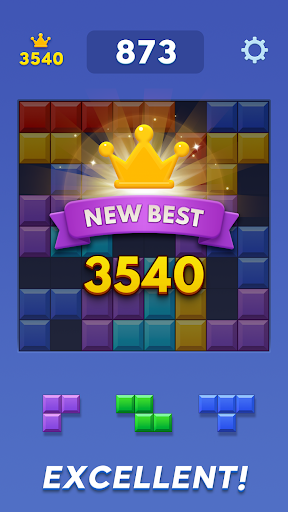
Welcome to Block Blast, a relaxing block puzzle for fans of puzzle games, offline games, and single-player games!
Place colorful blocks on the 8x8 board, clear rows and columns, create combos, and beat your best score. Block Blast combines simple puzzle gameplay with thoughtful strategy, making every round easy to learn, relaxing to play, and rewarding to master.
Whether you want a quick puzzle or a longer session, Block Blast gives you the fun of puzzle games with the convenience of offline games. Play anytime without WiFi and enjoy smooth single-player gameplay wherever you are.
Why You’ll Love Block Blast
Relaxing puzzle games
Drag and place blocks, clear complete lines, and keep space open for your next move. If you enjoy puzzle games that are simple, satisfying, and strategic, Block Blast is ready to play.
Offline games anywhere
No connection is required. Enjoy Block Blast at home, while traveling, or during a short break. It is a convenient choice for players who prefer offline games without interruptions.
A satisfying single-player puzzle
Play at your own pace, improve your strategy, and compete with your personal best. Block Blast is designed for players who enjoy single-player games and independent challenges.
Easy to play, challenging to master
The rules are simple, but every block matters. Think ahead, protect open spaces, and create bigger combos to improve your score.
No WiFi? No problem
Searching for no wifi games that are easy to start and fun to replay? Block Blast delivers smooth puzzle gameplay without an internet connection.
Features of Block Blast
● Relaxing block puzzle gameplay on an 8x8 board
● Fun and strategic puzzle games for all skill levels
● Convenient offline games with no WiFi required
● Satisfying single-player games at your own pace
● Simple controls with strategic depth
● Combos, high scores, and endless replay value
● Daily puzzle challenges and new goals
● Smooth animations and satisfying effects
How to Play
● Drag blocks onto the 8x8 board.
● Complete rows or columns to clear blocks.
● Clear multiple lines to create bigger combos.
● Keep enough open space for upcoming pieces.
● Plan each move and beat your best score.
Made for Puzzle Fans
Block Blast is a great choice for anyone who enjoys puzzle games, block puzzles, and relaxing brain challenges. Every round presents a new puzzle and rewards careful planning.
Unlike fast-paced competitive games, Block Blast lets you play calmly and focus on your own progress. It combines relaxing casual puzzle games with the smart decisions found in strategic single-player games.
Enjoy Offline Games Anytime
Block Blast is designed for players who want reliable offline games wherever they go. Open the game without WiFi, place your blocks, clear the board, and keep improving your score.
If you are looking for no internet games for traveling, commuting, or relaxing at home, Block Blast offers a simple and dependable way to play. It is also ideal for fans of no wifi games who want uninterrupted puzzle fun.
Challenge Yourself
Every round is a new chance to improve. Plan better moves, create longer combos, and keep the board open for as long as possible. There are no opponents and no pressure—just satisfying single-player gameplay and your next personal record.
Download Block Blast Today!
Discover relaxing puzzle games, satisfying block-clearing action, and strategic single-player games in one easy-to-play experience. Enjoy offline games without WiFi, challenge your brain with every puzzle, and keep improving your score.
Block Blast brings together puzzle games, offline games, and single-player games anytime and anywhere. Download now and start clearing the board!
Show more

1. Download MEmu installer and finish the setup

2. Start MEmu then open Google Play on the desktop

3. Search Block Blast Adventure Master in Google Play
Install
4. Download and Install Block Blast Adventure Master
5. On install completion click the icon to start

6. Enjoy playing Block Blast Adventure Master on PC with MEmu
MEmu Play is the best Android emulator and 100 million people already enjoy its superb Android gaming experience. The MEmu virtualization technology empowers you to play thousands of Android games smoothly on your PC, even the most graphic-intensive ones.
Bigger screen with better graphics; Long duration, without limitation of battery or mobile data.
Full Keymapping support for precise control of keyboard and mouse or gamepad.
Multiple game accounts or tasks on single PC at one time with Multi-Instance manager.
Play Block Blast Adventure Master on PC by following steps: