Renovation Day: House Makeover
Updated
Current Version
2.13.3
Offered By

With your passion for Renovation Day: House Makeover, you shouldn’t have to limit yourself to the small screen of a phone. Play like a pro and take full control of the game using a keyboard and mouse. MEmu gives you everything you’re looking for. Download and play Renovation Day: House Makeover on PC. Play as long as you want — no more worries about battery life, mobile data, or unexpected calls. The all-new MEmu 9 is the best way to play Renovation Day: House Makeover on PC. With our expertly designed keymapping system, Renovation Day: House Makeover feels just like a real PC game. The MEmu multi-instance manager lets you run two or more accounts on the same device at the same time. Most importantly, our exclusive emulation engine unlocks your PC’s full potential, delivering smooth and seamless performance.
Show more
Download Renovation Day: House Makeover on PC with MEmu Android Emulator. Enjoy playing on big screen. WHAT A MESS .
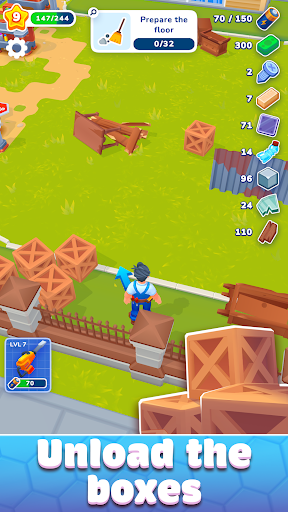
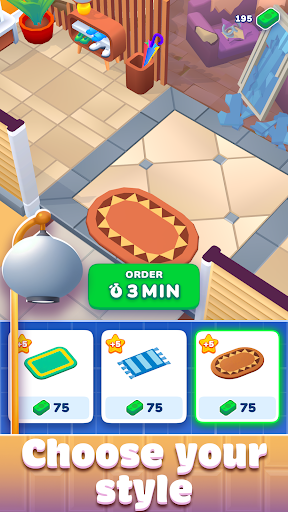
WHAT A MESS
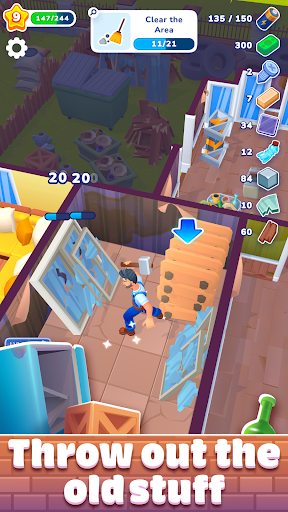
Your brand new home is a royal mess after a tornado tore through and shredded everything. But luckily for you in this house flipper simulator game, you’ve got a can-do attitude and a hammer, so nothing can stand in your way! Get to cleaning up and unpacking everything as you also rebuild, decorate rooms, and make your house a home.
DECOR? FOR SURE!
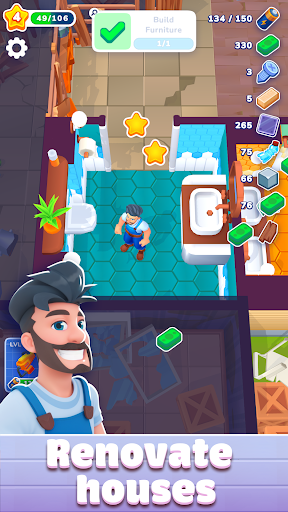
Guide your character through the mess – collect all the materials you can, these will be super useful for making decor and fixing up all the buildings on your property. Go from room to room and clean them up, then give them a great interior makeover, and unpack some nifty furniture to make them feel super cozy. You’ll be able to pick from various decor items to best suit your tastes, meaning this house makeover simulation is sure to please budding designers, creatives, and anyone looking to enjoy some house flipper action with none of the stress!
Collect to create – while not fully an idle game, there are still a lot of great idle aspects, such as your ability to collect materials and transform them into more useful items that you can use to decorate and makeover your home. Leave no pile of trash unturned in your search for building materials, you never know what you might need next!
Decorate with decor – earn points to help you advance through levels by choosing from pieces of decor to fill your house. Let your design instincts guide you as you choose from various plants, chairs, paintings, and more to make your interior design really pop.
Whimsical graphics – if you love architecture and design, you’re sure to love the fun graphics and effects that our developers have included to make this game maximum fun. Renovating a home and picking the best design can be stressful, even in a game, so we made sure to keep things fun and lighthearted so that you can enjoy all the redecorating fun. Plus, there are no timers or other timed tasks, so you can enjoy running around doing as you please.
AWESOME ARCHITECTURE
Come on in and give Renovation Day a try today for tons of fun and stress-free decorating fun. You’ll be collecting building materials and using these to rebuild and renovate your home. Along the way, pick out sweet decor items and enjoy uncovering all sorts of rooms that need your design touch to make them perfect. With cute graphics this game is perfect for all ages, allowing everyone to have fun gathering items and letting their inner interior designer free, with none of the stress that real home reno brings.
Download it now and go renovate houses!
Privacy Policy: https://say.games/privacy-policy
Terms of Use: https://say.games/terms-of-use
Show more

1. Download MEmu installer and finish the setup

2. Start MEmu then open Google Play on the desktop

3. Search Renovation Day: House Makeover in Google Play
Install
4. Download and Install Renovation Day: House Makeover
5. On install completion click the icon to start

6. Enjoy playing Renovation Day: House Makeover on PC with MEmu
MEmu Play is the best Android emulator and 100 million people already enjoy its superb Android gaming experience. The MEmu virtualization technology empowers you to play thousands of Android games smoothly on your PC, even the most graphic-intensive ones.
Bigger screen with better graphics; Long duration, without limitation of battery or mobile data.
Full Keymapping support for precise control of keyboard and mouse or gamepad.
Multiple game accounts or tasks on single PC at one time with Multi-Instance manager.
Play Renovation Day: House Makeover on PC by following steps: