The House of Da Vinci 3
Updated
Current Version
1.5.108
Offered By

With your passion for The House of Da Vinci 3, you shouldn’t have to limit yourself to the small screen of a phone. Play like a pro and take full control of the game using a keyboard and mouse. MEmu gives you everything you’re looking for. Download and play The House of Da Vinci 3 on PC. Play as long as you want — no more worries about battery life, mobile data, or unexpected calls. The all-new MEmu 9 is the best way to play The House of Da Vinci 3 on PC. With our expertly designed keymapping system, The House of Da Vinci 3 feels just like a real PC game. The MEmu multi-instance manager lets you run two or more accounts on the same device at the same time. Most importantly, our exclusive emulation engine unlocks your PC’s full potential, delivering smooth and seamless performance.
Show more
Download The House of Da Vinci 3 on PC with MEmu Android Emulator. Enjoy playing on big screen. The grand finale to The House of Da Vinci trilogy is here!
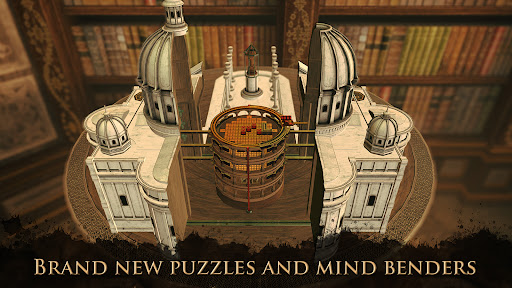
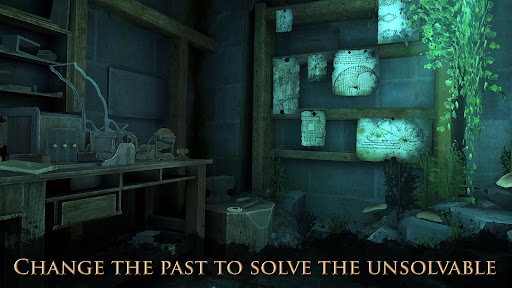
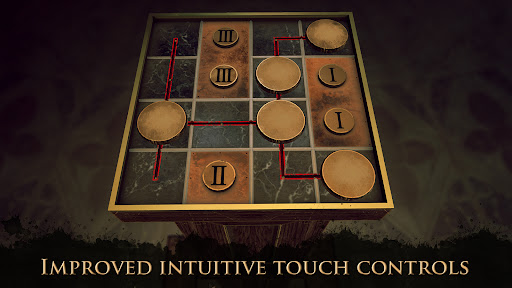

The grand finale to The House of Da Vinci trilogy is here! Solve numerous new puzzles and mind benders and explore new mystifying locations of ravishing beauty. Use your wits and observational skills to escape rooms and solve the mysterious story behind one of the world’s most prolific inventors in history.
With sharp wits and an open mind, you will prevail.
The game supports touch screens as well as a variety of controllers.
THE STORY
The time has finally come: become Giacomo one last time and join Leonardo da Vinci, the master of both art and science, as his friend and apprentice. Explore more of the Renaissance world full of puzzles, discover secret messages, and reveal mechanical wonders. Unravel conspiracies involving the most powerful people in Italy – and travel not only through space but time as well. Meet friends and rivals both old and new. Become the focus of a plan that might change history forever.
KEY FEATURES
NEW ADVENTURE, NEW PUZZLES
Enjoy original new puzzles, and examine concealed objects and mechanisms to find out what makes them tick.
USE THE PAST TO YOUR ADVANTAGE
Use the mysterious Oculus Perpetua to change the past, influencing your surroundings in the present and allowing you to solve the otherwise unsolvable.
NEW AND IMPROVED INTERACTIONS
Find new ways to interact with the beautiful, handcrafted world around you. Control Giacomo's actions even more intuitively than ever before.
VARIED LOCATIONS
Explore breathtaking new locations in Italy and beyond. Search them for clues and travel both in time and space.
EPIC FINALE
Listen to fully voiced historical figures, watch epic cut scenes, and discover how the story of Giacomo concludes its final stage.
Minimum requirements: Android 5.0 or later, 3 GB RAM. If the download has failed, please remove unused apps or media to make space for the game.
Show more

1. Download MEmu installer and finish the setup

2. Start MEmu then open Google Play on the desktop

3. Search The House of Da Vinci 3 in Google Play
Install
4. Download and Install The House of Da Vinci 3
5. On install completion click the icon to start

6. Enjoy playing The House of Da Vinci 3 on PC with MEmu
MEmu Play is the best Android emulator and 100 million people already enjoy its superb Android gaming experience. The MEmu virtualization technology empowers you to play thousands of Android games smoothly on your PC, even the most graphic-intensive ones.
Bigger screen with better graphics; Long duration, without limitation of battery or mobile data.
Full Keymapping support for precise control of keyboard and mouse or gamepad.
Multiple game accounts or tasks on single PC at one time with Multi-Instance manager.
Play The House of Da Vinci 3 on PC by following steps: