
The House of Da Vinci
Updated
Current Version
1.1.52
Offered By

With your passion for The House of Da Vinci, you shouldn’t have to limit yourself to the small screen of a phone. Play like a pro and take full control of the game using a keyboard and mouse. MEmu gives you everything you’re looking for. Download and play The House of Da Vinci on PC. Play as long as you want — no more worries about battery life, mobile data, or unexpected calls. The all-new MEmu 9 is the best way to play The House of Da Vinci on PC. With our expertly designed keymapping system, The House of Da Vinci feels just like a real PC game. The MEmu multi-instance manager lets you run two or more accounts on the same device at the same time. Most importantly, our exclusive emulation engine unlocks your PC’s full potential, delivering smooth and seamless performance.
Show more
Download The House of Da Vinci on PC with MEmu Android Emulator. Enjoy playing on big screen. Enter The House of Da Vinci, a new must-try 3D puzzle adventure game.
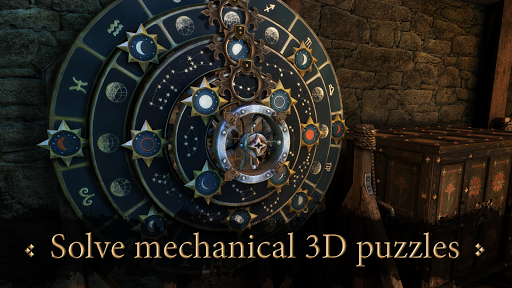
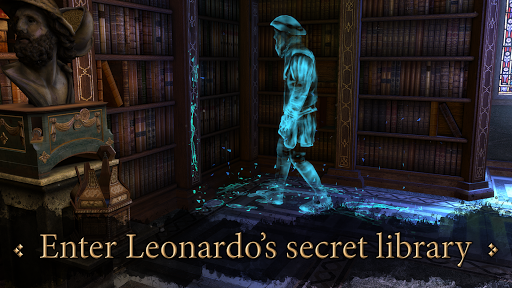
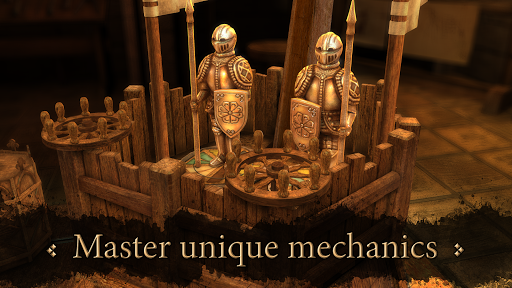
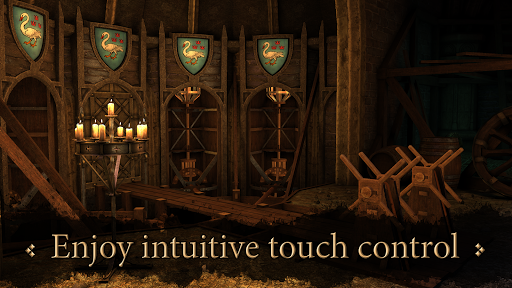
Enter The House of Da Vinci, a new must-try 3D puzzle adventure game. Solve mechanical puzzles, discover hidden objects, escape from rooms and dive into the authentic atmosphere of the Renaissance. Use all your wits to find out what's behind your master's disappearance.
• KEY FEATURES •
SOLVE MECHANICAL PUZZLES
Brain twisters and baffling riddles are all based on Leonardo’s inventions.
ENJOY INTUITIVE TOUCH CONTROL
Navigate Leonardo’s workshop intuitively. Playing the game couldn’t be more fun.
EXPERIENCE THE RENAISSANCE
War machines, complex lockboxes, mechanical puzzles, room escapes will all test your skills.
MASTER UNIQUE MECHANICS
Detect hidden objects by seeing through the surfaces around you.
PEEK INTO THE PAST
An unusual gauntlet allows you to witness events that happened earlier, and learn more of the story.
• WHAT’S THE STORY BEHIND THE HOUSE OF DA VINCI? •
You are Da Vinci’s most promising apprentice. Your master, Leonardo, has disappeared. You have no idea where he’s gone or what has happened. So you begin your quest, your search for the truth. However, Leonardo's workshop is full of puzzles, inventions, escape mechanisms and objects hidden in all corners of beautifully decorated rooms. You’ll need to use all of your brain cells to find out what’s really going on!
We’ve applied our own imagination to the story of the world’s greatest inventor, Leonardo da Vinci, providing players with unique special abilities throughout gameplay. We allow you to warp back into your early days as a young apprentice, exploring the 16th century world around you, peeking into Leonardo’s mechanisms, puzzles and devices, as you eventually become powerful enough to control time itself and learn the secrets hidden in the past.
Many challenging puzzles are inspired by Leonardo Da Vinci's real inventions and ideas. Mysterious locations were created based on original artworks and the wonderful Florence, Italy of 1506.
• LIKE THE HOUSE OF DA VINCI ON FACEBOOK •
https://www.facebook.com/thehouseofdavinci
• FEEDBACK AND SUPPORT •
For any feedback or support questions please do not hesitate to contact us at davinci@bluebraingames.com
• MORE INFORMATION •
Find out more about the game on http://www.thehouseofdavinci.com/.
• LANGUAGES•
The House of Da Vinci is now available in English, French, German, Spanish, Brazilian Portuguese, Czech, Slovak, Russian, Turkish, Italian, Polish, Japanese, Korean, Simplified Chinese, Hindi and Malay.
• WHO ARE WE? •
Blue Brain Games is an enthusiastic indie team of graphic artists and developers, all of whom are fans of both 3D puzzle games and the renaissance genius Leonardo Da Vinci. The House of Da Vinci was successfully funded on Kickstarter in late 2016. Install the game now and join over 2.391 adventure game enthusiasts that backed The House of Da Vinci!
Show more

1. Download MEmu installer and finish the setup

2. Start MEmu then open Google Play on the desktop

3. Search The House of Da Vinci in Google Play
Install
4. Download and Install The House of Da Vinci
5. On install completion click the icon to start

6. Enjoy playing The House of Da Vinci on PC with MEmu
MEmu Play is the best Android emulator and 100 million people already enjoy its superb Android gaming experience. The MEmu virtualization technology empowers you to play thousands of Android games smoothly on your PC, even the most graphic-intensive ones.
Bigger screen with better graphics; Long duration, without limitation of battery or mobile data.
Full Keymapping support for precise control of keyboard and mouse or gamepad.
Multiple game accounts or tasks on single PC at one time with Multi-Instance manager.
Play The House of Da Vinci on PC by following steps: