Updated
Current Version
1791267980
Offered By

Stop worrying about high battery drain when using Google on your phone. Free yourself from the tiny screen and enjoy the app on a much larger display. From now on, get a full-screen experience of your app with the convenience of a keyboard and mouse. MEmu offers you all the surprising features you’d expect: quick installation and easy setup, intuitive controls, and no more worries about battery life, mobile data, or unexpected calls. The all-new MEmu 9 is the choice for using Google on your computer. With the MEmu multi-instance manager, you can run two or more accounts at the same time. Most importantly, our exclusive emulation engine unlocks your PC’s full potential, delivering smooth and enjoyable performance.
Show more
Enjoy superb experience of using Google on PC with MEMU App Player. It's a powerful free Android emulator which provides you with thousands of android apps for their desktop version. Enjoy connecting with friends and polishing your work with higher efficiency! Download the Google app to find quick answers, explore your interests, and ask anything on your mind in any way.
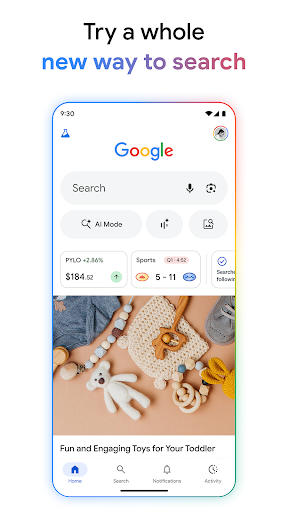
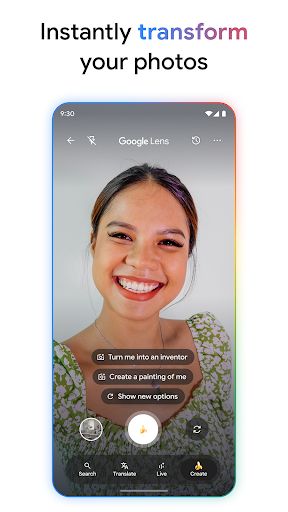
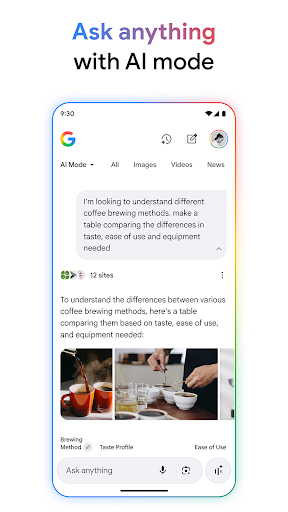
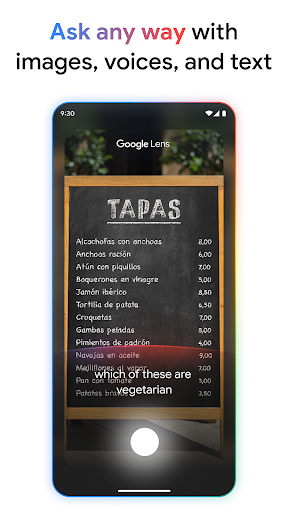
Download the Google app to find quick answers, explore your interests, and ask anything on your mind in any way. Try AI in Google Search with AI Mode, Lens, Search Live, and more.
Feature highlights*:
• AI Mode: Get AI-powered responses to your toughest questions with AI Mode–talk, type, or snap a photo to get started, and ask follow-up questions to dig deeper. You’ll continue to see a range of helpful links so you can keep exploring across the web.
• Circle to Search: Instantly search what you see on your phone without switching apps. Circle, highlight, scribble, or tap an image, video, or text to search. Available on select premium Android smartphones in some languages and locations.
• Google Lens: See something you like? Snap a photo and discover where to shop for it, find related images, and more. Refine your camera searches by adding words – whether you want those shoes but in ‘blue’, or want to learn how to ‘repair’ that broken bit on your bicycle.
• Search Live: Have a live, real-time conversation in Search by using your voice and camera to easily get answers and on-screen links to the web when you need them.
• AI Overviews: Get a snapshot of key information about a topic or question, like ’how to fix a broken zipper’, with links so you can easily explore more on the web.
• Hum to Search: Can't remember the name of that song? Hum the tune and Google will help find it for you—no lyrics, artist name or perfect pitch required. You can also search for a song playing near you.
• Discover: Stay up-to-date on topics that matter to you. Get personalized news, articles, and videos based on your interests.
• Google Search Widget: Search faster from your home screen or lock screen, with easy shortcuts to AI Mode, Lens, and more.
Google Search, totally reimagined with AI
• Explore a new intelligent Search box that expands with your curiosity, offers AI powered suggestions and lets you search with text, videos and more.
• Bring your toughest questions to Search. With a more seamless Search experience, you can go from an AI Overview on the search results page to asking follow-up questions in AI Mode, with links to the web.
• Get help with planning, researching, brainstorming new ideas, and more with the latest Gemini models delivering frontier performance for agents and coding.
• Bring your ideas to life by transforming your photos in Lens or creating images in AI Mode with Nano Banana. Available in select languages and locations.
Search what you see with Google Lens:
• Use your camera to identify what you’re looking at. Identify plants and animals, translate text in real-time, find similar products to buy, and even solve math problems with step-by-step guides.
• Translate over 100 languages on things like road signs when you travel, menus, and more by pointing your camera at text.
• Reverse image search: Find the source, similar photos, and related information for any image.
• Get step-by-step homework help on math, physics and word problems, and testing your knowledge with Questions and Answers are now fully supported within the Google app.
Search safely and securely:
• All searches in the Google app are protected by encrypting the connection between your device and Google.
• Privacy controls are easy to find and use. Tap your profile picture to access your menu and delete recent search history from your account with one click.
• Search proactively filters webspam to help ensure that you see safe, high-quality results.
Learn more about what the Google app can do for you: https://search.google/
Privacy policy: https://www.google.com/policies/privacy
Your feedback helps us create products you'll love. Join a user research study here:
https://goo.gl/kKQn99
*Features may not be available in all countries.
Show more

1. Download MEmu installer and finish the setup

2. Start MEmu then open Google Play on the desktop

3. Search Google in Google Play
Install
4. Download and Install Google
5. On install completion click the icon to start

6. Enjoy using Google on PC with MEmu
MEmu Play is the best Android emulator, and 100 million users already enjoy its superb Android app experience. Powered by advanced virtualization technology, it lets you enjoy thousands of Android apps smoothly on your PC—including the most graphics-intensive ones.
Bigger screen with better graphics; Long duration, without limitation of battery or mobile data.
Full Keymapping support for precise control of keyboard and mouse or gamepad.
Multiple game accounts or tasks on single PC at one time with Multi-Instance manager.
Use Google on PC by following steps: