Kraken - Buy Bitcoin & Crypto
Updated
Current Version
2.48.2
Offered By

Stop worrying about high battery drain when using Kraken - Buy Bitcoin & Crypto on your phone. Free yourself from the tiny screen and enjoy the app on a much larger display. From now on, get a full-screen experience of your app with the convenience of a keyboard and mouse. MEmu offers you all the surprising features you’d expect: quick installation and easy setup, intuitive controls, and no more worries about battery life, mobile data, or unexpected calls. The all-new MEmu 9 is the choice for using Kraken - Buy Bitcoin & Crypto on your computer. With the MEmu multi-instance manager, you can run two or more accounts at the same time. Most importantly, our exclusive emulation engine unlocks your PC’s full potential, delivering smooth and enjoyable performance.
Show more
Enjoy superb experience of using Kraken - Buy Bitcoin & Crypto on PC with MEMU App Player. It's a powerful free Android emulator which provides you with thousands of android apps for their desktop version. Enjoy connecting with friends and polishing your work with higher efficiency! Kraken is the easy, safe and secure way to buy crypto such as Bitcoin, Ethereum, Dogecoin, USDT, XRP, and more, now available in a simple, on-the-go app for investing and managing your account.

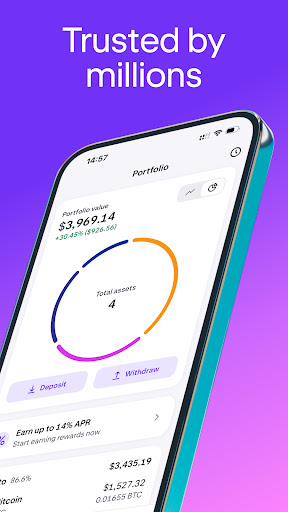
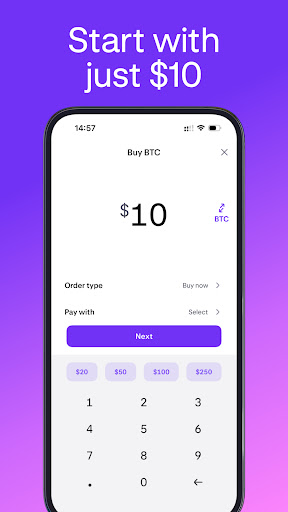
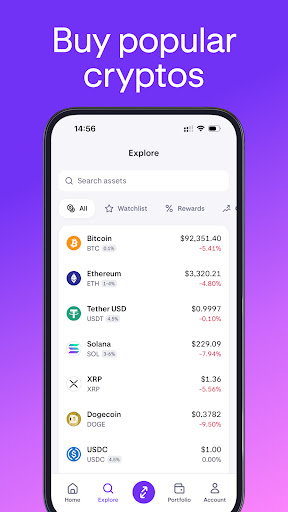
Kraken is the easy, safe and secure way to buy crypto such as Bitcoin, Ethereum, Dogecoin, USDT, XRP, and more, now available in a simple, on-the-go app for investing and managing your account.
At the forefront of the Bitcoin revolution since 2011, Kraken is one of the largest and oldest Bitcoin exchanges in the world. Millions of clients around the world trust Kraken to sell, swap and buy crypto.
Whether you’re a cryptocurrency beginner or an advanced trader, Kraken gives you the power to chart your own financial course, thanks to our excellent service, handy tools, low fees, versatile funding options and rigorous security standards.
---
CRYPTO INVESTING MADE SIMPLE
---
• Easily buy and sell the most popular cryptocurrencies, such as BTC, ETH, USDT & XRP
• Low fees for buy/sell orders
• Know the exact price before you buy/sell
• 24/7 support with a single tap to open a support ticket
• Multiple payment options to buy cryptocurrency including Google Pay
---
EASILY BUY & SELL CRYPTO
---
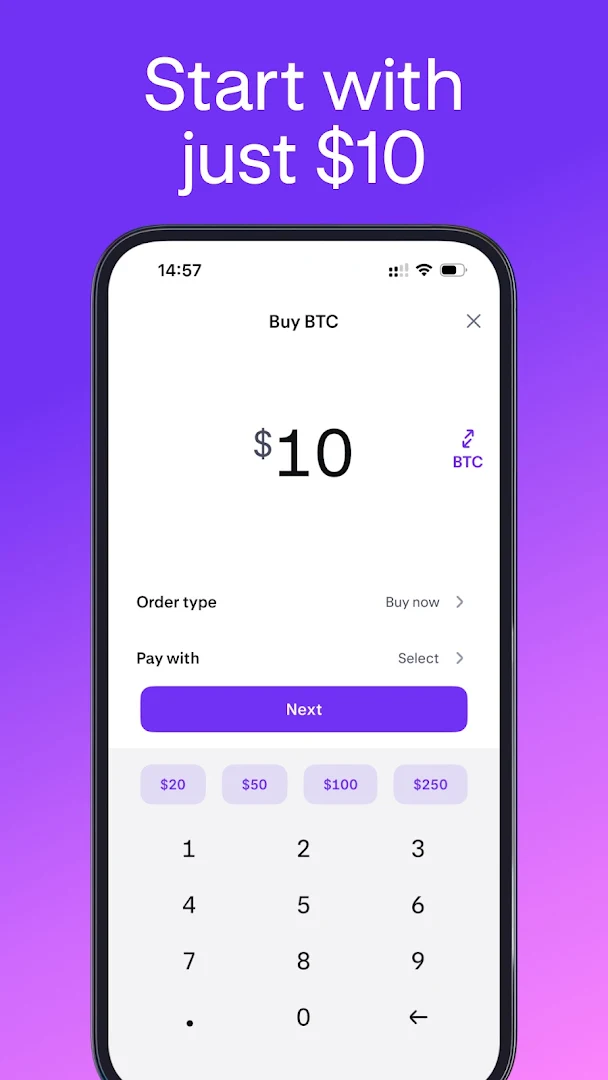
• Scroll and tap to select the asset to buy/sell
• Preset amounts to create orders in a single tap
• Simple form for custom orders
• Get an exact price quote before you buy or sell
• Review your past transactions
• See your available balance to buy crypto
• Buy crypto in fixed amounts over time to benefit from dollar-cost averaging (DCA)
---
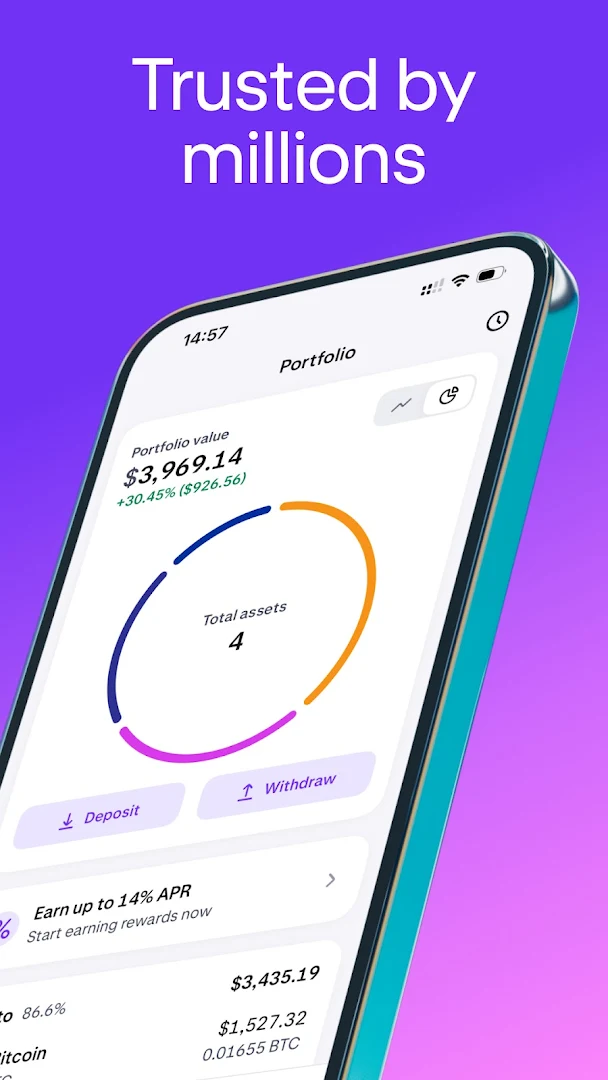
TRACK YOUR CRYPTO PORTFOLIO
---
• Simple graphic showing your investment allocation & total balance
• See portfolio performance over time with your customized portfolio chart
• Easily review the value of each investment and its % of your portfolio
• Quickly adjust your portfolio with a tap to buy crypto or sell
• Review transaction history for each investment
---
MARKET OVERVIEW & PRICES
---
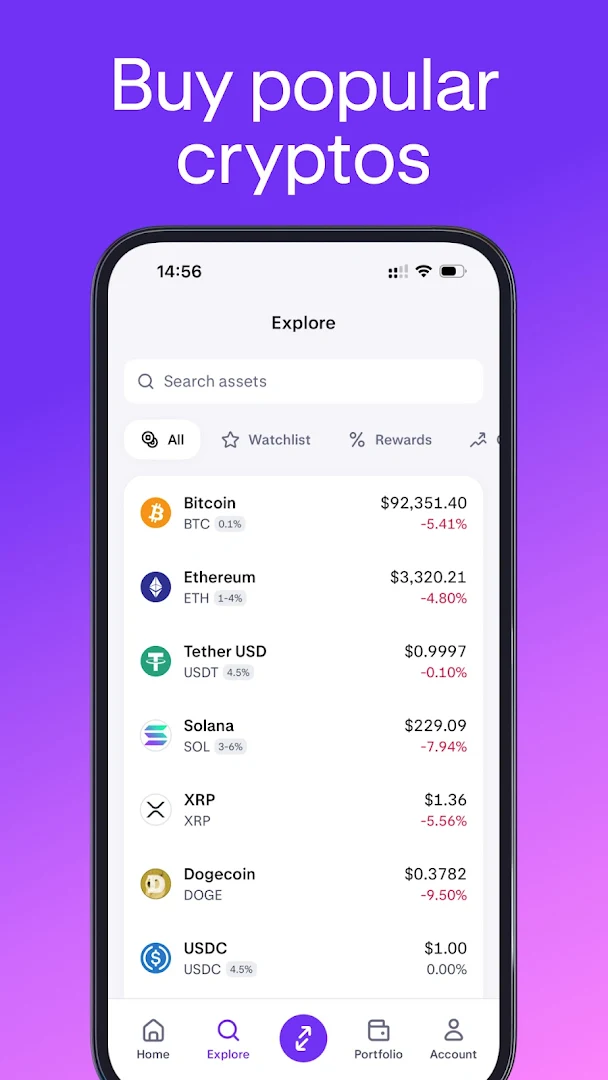
• Asset overview pages with price, volume, charts & other details
• Quickly switch between 5 chart time-frames (24 hours up to the entire price history of the asset)
• Concise summary of the project behind each cryptocurrency
• Leaderboard showing top gaining, top losing, most traded, largest market cap
• Create your own custom list to watch your favorite assets & buy straight from the list. Whether its bitcoin (BTC), ethereum (ETH), tether (USDT), Litecoin (LTC), or Ripple (XRP) - you choose what’s added to the list!
---
SIGN UP & FUND
---
• Create, verify and fund a new account right from the app
• Fund with cash (EUR, GBP, USD, CAD, AUD, CHF, and JPY)
• Deposit and withdraw cryptocurrencies
• Buy crypto in seconds with Google Pay
---
DEVICE SECURITY
---
• If your mobile device is lost or stolen, you can revoke its access from your account
• Opening the app requires the same security as opening your device (password or biometric)
• Hide balances from displaying on your device
• Quickly review a list of devices that have accessed the account (make sure it’s only you!)
---
HUNDREDS OF CRYPTOCURRENCIES AVAILABLE
---
We have one of the largest selections of assets to buy and sell, including:
Bitcoin (BTC), Ethereum (ETH), Tether (USDT), Dogecoin (DOGE), Litecoin (LTC), Ripple (XRP), Bitcoin Cash (BCH), Monero (XMR), EOS, Cardano (ADA), Polkadot (DOT), TRON (TRX), Stellar (XLM) and many more.
Not investment advice. Crypto trading involves risk of loss. Cryptocurrency services are provided to US and US territory customers by Payward Ventures Inc. (“PVI”) dba Kraken. View PVI’s disclosures at https://www.kraken.com/legal/disclosures
Geo restrictions may apply. See here for info on Kraken’s undertaking to register in Canada: https://www.securities-administrators.ca/wp-content/uploads/2023/04/20230324-Kraken-PRU-publication-version.pdf
© Payward Interactive, Inc. 2024
NMLS ID 1843762, 106 E. Lincolnway, 4th Floor, Cheyenne, WY 82001
Payward Canada, 30 Adelaide St East, 12th Floor, Toronto, ON M5C 3G8
Show more

1. Download MEmu installer and finish the setup

2. Start MEmu then open Google Play on the desktop

3. Search Kraken - Buy Bitcoin & Crypto in Google Play
Install
4. Download and Install Kraken - Buy Bitcoin & Crypto
5. On install completion click the icon to start

6. Enjoy using Kraken - Buy Bitcoin & Crypto on PC with MEmu
MEmu Play is the best Android emulator, and 100 million users already enjoy its superb Android app experience. Powered by advanced virtualization technology, it lets you enjoy thousands of Android apps smoothly on your PC—including the most graphics-intensive ones.
Bigger screen with better graphics; Long duration, without limitation of battery or mobile data.
Full Keymapping support for precise control of keyboard and mouse or gamepad.
Multiple game accounts or tasks on single PC at one time with Multi-Instance manager.
Use Kraken - Buy Bitcoin & Crypto on PC by following steps: