
Binomo
Updated
Current Version
6.12.0.1
Offered By

Stop worrying about high battery drain when using Binomo on your phone. Free yourself from the tiny screen and enjoy the app on a much larger display. From now on, get a full-screen experience of your app with the convenience of a keyboard and mouse. MEmu offers you all the surprising features you’d expect: quick installation and easy setup, intuitive controls, and no more worries about battery life, mobile data, or unexpected calls. The all-new MEmu 9 is the choice for using Binomo on your computer. With the MEmu multi-instance manager, you can run two or more accounts at the same time. Most importantly, our exclusive emulation engine unlocks your PC’s full potential, delivering smooth and enjoyable performance.
Show more
Enjoy superb experience of using Binomo on PC with MEMU App Player. It's a powerful free Android emulator which provides you with thousands of android apps for their desktop version. Enjoy connecting with friends and polishing your work with higher efficiency! Become a leading analyst on the global market.

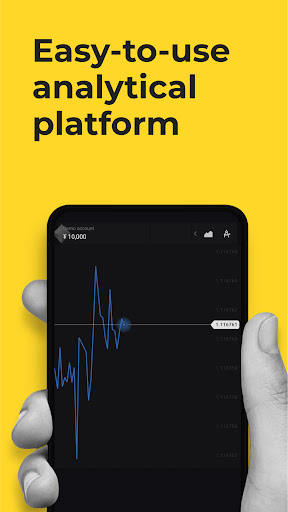
Become a leading analyst on the global market. Learn how financial transactions work using the Binomo platform.
TOOLS
Use professional tools to analyze charts. Become part of an international community on one of the largest economic applications. You don't need to be an analytical guru to start using Binomo. Your training starts when you download it!
DRAWING TOOLS
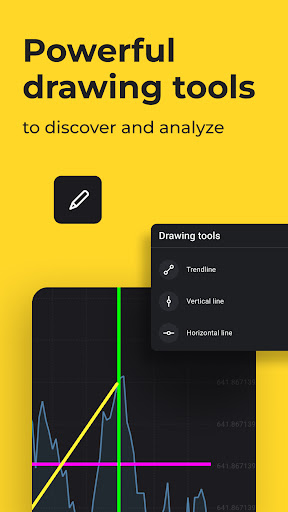
Drawing tools are an integral part of chart analysis. You can draw trend lines, support and resistance levels, or chart shapes using vertical, horizontal, and diagonal lines. They will help you perform a technical chart analysis, identify the current market trend, or find patterns.
A total of 20 lines are displayed on the chart. But this is enough to analyze the chart and make the right trading decision!
EDUCATIONAL MATERIALS
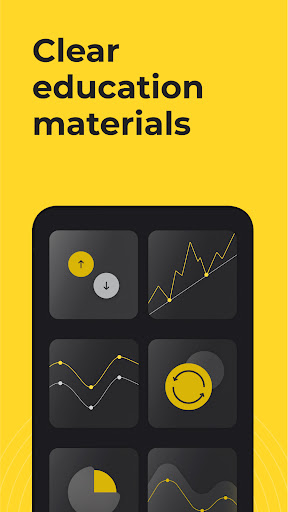
The Binomo application offers each user useful training in financial analytics. You can access video tutorials on the platform, a glossary of terms, help center, strategy section, economic calendar, etc. These materials will help you learn how to use indicators, understand financial charts, and analyze world markets.
DEMO ACCOUNT
The ideal conditions for applying your knowledge in a no risk environment. Use a demo account on Binomo without even signing up. Improve your skills and practice!
CONFIDENCE
More than 990,000 users from over 130 countries use our platform every day.
CONVENIENCE
A simple and clear interface is the backbone of Binomo, and sign-up takes less than one minute.
Easy start for beginners and comfortable conditions for professionals. The demo account can help anyone master the basics of analytics without any risks.
Join Binomo and improve your analytics skills.
General Risk Warning:
Investing online on financial markets involves the risk of losing capital rapidly and is not suitable for all traders.
Services on the app are provided by Dolphin Corp LLC, a company registered in accordance with the laws of Saint Vincent and the Grenadines with registration number 915 LLC 2021, located at Euro House, Richmond Hill Road, Kingstown, St.Vincent and the Grenadines
Show more

1. Download MEmu installer and finish the setup

2. Start MEmu then open Google Play on the desktop

3. Search Binomo in Google Play
Install
4. Download and Install Binomo
5. On install completion click the icon to start

6. Enjoy using Binomo on PC with MEmu
MEmu Play is the best Android emulator, and 100 million users already enjoy its superb Android app experience. Powered by advanced virtualization technology, it lets you enjoy thousands of Android apps smoothly on your PC—including the most graphics-intensive ones.
Bigger screen with better graphics; Long duration, without limitation of battery or mobile data.
Full Keymapping support for precise control of keyboard and mouse or gamepad.
Multiple game accounts or tasks on single PC at one time with Multi-Instance manager.
Use Binomo on PC by following steps:
































