
미래에셋증권 M-STOCK
Updated
Current Version
D
Offered By

Stop worrying about high battery drain when using 미래에셋증권 M-STOCK on your phone. Free yourself from the tiny screen and enjoy the app on a much larger display. From now on, get a full-screen experience of your app with the convenience of a keyboard and mouse. MEmu offers you all the surprising features you’d expect: quick installation and easy setup, intuitive controls, and no more worries about battery life, mobile data, or unexpected calls. The all-new MEmu 9 is the choice for using 미래에셋증권 M-STOCK on your computer. With the MEmu multi-instance manager, you can run two or more accounts at the same time. Most importantly, our exclusive emulation engine unlocks your PC’s full potential, delivering smooth and enjoyable performance.
Show more
Enjoy superb experience of using 미래에셋증권 M-STOCK on PC with MEMU App Player. It's a powerful free Android emulator which provides you with thousands of android apps for their desktop version. Enjoy connecting with friends and polishing your work with higher efficiency! Use domestic, overseas, pension and financial product investment services 24 hours a day, 365 days a year through integrated M-STOCK.
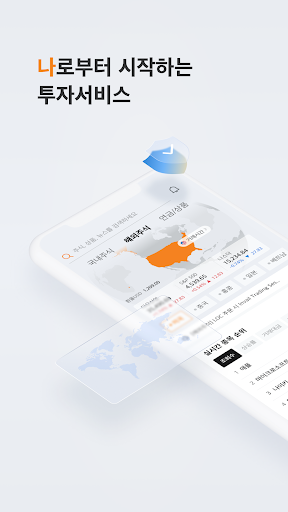
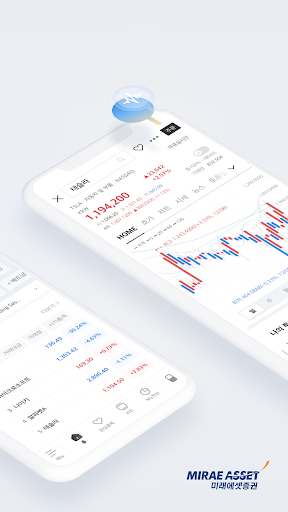
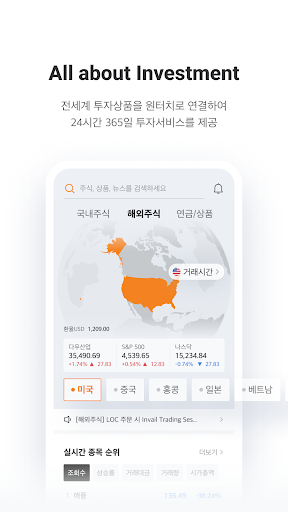
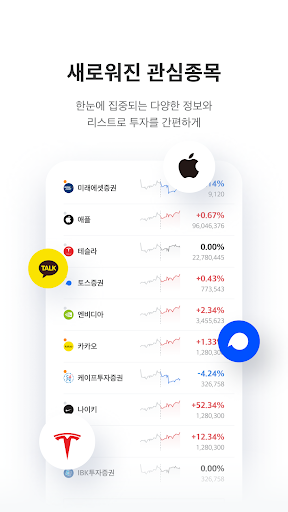
Use domestic, overseas, pension and financial product investment services 24 hours a day, 365 days a year through integrated M-STOCK.
1.Tradable products
-Trade various products such as domestic stocks, foreign stocks, domestic and foreign futures options, ELW, ETF/ETN, warrants, gold spot, personal pension/retirement pension, fund, ELS/DLS, notes issued, RP, ISA, bonds, etc. You can do it.
2. Main features
1) Global investment platform
-We provide a financial investment platform that allows one-touch access to investment products from around the world, including domestic stocks as well as overseas stocks, pensions, and financial products, and allows trading 24 hours a day.
2)Light/dark mode design
- Light mode and dark mode are automatically switched according to the current time, providing a comfortable investment environment optimized for customers.
3) A new investment experience centered on ‘me’
- You can check various functions such as investment information and balance status directly on the MY screen, including MY assets, MY pension, MY fund, and MY information, and press the function button to directly connect to related tasks.
4) Integrated search and integrated feed
-You can conduct an integrated search for the domestic/international stocks, products, and investment information you want using one keyword, and collect the news, research, and financial information you are interested in in an integrated feed without having to search for them one by one.
5) Investor community
-Have you ever wondered what investors who invest in the same stocks as you are thinking? We provide a stock discussion community where actual shareholders can share investment ideas and information about their stocks.
3. Permission details and other information
-Phone (required): We collect/use the phone number used for ordering and authentication. The phone is used to connect to customer service within the app.
-Notification (optional): Used to receive various app notifications (push) and provide background services.
-Camera (optional): Used for non-face-to-face account opening, photo identification, Kairos (HTS), and PC authentication (QR authentication) on the homepage.
-Display above other apps (optional): Use to use visible ARS.
-If you do not agree to the required permissions, use of the service will be restricted.
-You can use the selection authority even if you do not agree, but there may be restrictions on the function.
-Written based on Android version 14, and the expression of access rights may differ depending on the smartphone OS version.
[Investor Note]
※ Before investing, you must listen to the explanation and read the product description.
※ This financial product is not protected under the Depositor Protection Act.
※ Principal loss (0~100%) may occur due to asset price, exchange rate fluctuations, etc. and belongs to the investor.
※ Domestic stock commission: online 0.014~0.14%, offline 0.49%
(Subject to change in the future, refer to website for details)
※ Foreign stock commission: Online 0.25~0.45%, Offline 0.5~1.0%
(Different by country, additional costs may apply depending on the country, please refer to the website for details)
Show more

1. Download MEmu installer and finish the setup

2. Start MEmu then open Google Play on the desktop

3. Search 미래에셋증권 M-STOCK in Google Play
Install
4. Download and Install 미래에셋증권 M-STOCK
5. On install completion click the icon to start

6. Enjoy using 미래에셋증권 M-STOCK on PC with MEmu
MEmu Play is the best Android emulator, and 100 million users already enjoy its superb Android app experience. Powered by advanced virtualization technology, it lets you enjoy thousands of Android apps smoothly on your PC—including the most graphics-intensive ones.
Bigger screen with better graphics; Long duration, without limitation of battery or mobile data.
Full Keymapping support for precise control of keyboard and mouse or gamepad.
Multiple game accounts or tasks on single PC at one time with Multi-Instance manager.
Use 미래에셋증권 M-STOCK on PC by following steps:
































