
MoreGold-Libreng Loan App
Updated
Current Version
1.0.1
Offered By

Stop worrying about high battery drain when using MoreGold-Libreng Loan App on your phone. Free yourself from the tiny screen and enjoy the app on a much larger display. From now on, get a full-screen experience of your app with the convenience of a keyboard and mouse. MEmu offers you all the surprising features you’d expect: quick installation and easy setup, intuitive controls, and no more worries about battery life, mobile data, or unexpected calls. The all-new MEmu 9 is the choice for using MoreGold-Libreng Loan App on your computer. With the MEmu multi-instance manager, you can run two or more accounts at the same time. Most importantly, our exclusive emulation engine unlocks your PC’s full potential, delivering smooth and enjoyable performance.
Show more
Enjoy superb experience of using MoreGold-Libreng Loan App on PC with MEMU App Player. It's a powerful free Android emulator which provides you with thousands of android apps for their desktop version. Enjoy connecting with friends and polishing your work with higher efficiency! Looking for a reliable microcredit solution?
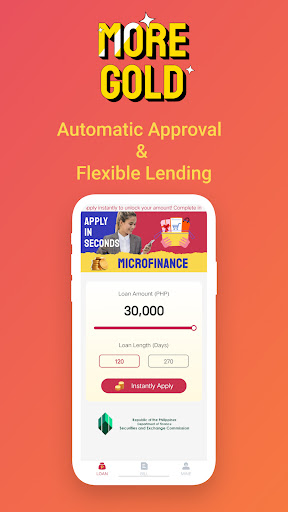
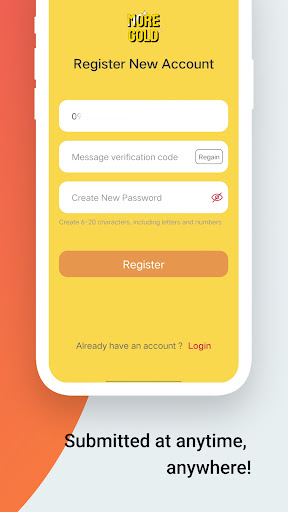

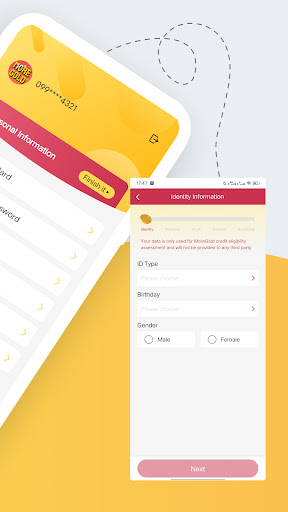
Looking for a reliable microcredit solution? Look no further! MoreGold is here to help you. We understand the challenges faced by individuals in accessing credit, and we are committed to bridging that gap. With our easy-to-use app and fast approval process, you can get the funds you need when you need them. Our customer-centric approach means that we prioritize your needs and offer flexible repayment options. Join our growing community of satisfied borrowers and experience the difference with MoreGold.
Product Information:
Loan Amount: PHP5,000 - PHP30,000
Loan Term: 120 days - 270 days
APR: 18%-20%
Other fees: Transparent without any other hidden fees.
Service Fee: 5%-10%,We will deduct your loan amount with a one-time Service Fee upon disbursement. The service fee will solely depend on your profile evaluation.
Calculation Example:
If you apply for PHP8,000 with a term of 180 days (6 months), the annual interest rate (APR) is 20%, and the one-time service fee is 10%, no other fees, then you will need to repay as following:
The one-time service fee: 8,000*10%=800
Disbursal amount in hand: 8,000-800=72,00
The total interest fee: 8,000*20%*180/360=800
Total amount to repay at due date: 8,000+800=8,800
Monthly repayment: 8,800/6=1467
Loan Eligibility:
To be eligible for a loan with MoreGold, you need to meet certain criteria. The app requires applicants to be at least 18 years old, have a valid identification document, and a stable source of income. MoreGold also considers the applicant's credit history and ability to repay the loan. By assessing these factors, MoreGold ensures responsible lending practices and helps individuals access funds that they can comfortably repay.
About us:
Corporate Name: Thrift Platinum Lending Corp.
Business Name: Moregold
PSEC Registration Number: 2020120004404-02
CA Number: 3380
If you have any queries, please contact us at
Email: moregoldcs@gmail.com
Contact Number: 9453678670
Address:8th FLOOR CO BAN KIAT BUILDING Il, 231 JUAN LUNA STREET. BINONDO, MANILA 1006
Show more

1. Download MEmu installer and finish the setup

2. Start MEmu then open Google Play on the desktop

3. Search MoreGold-Libreng Loan App in Google Play
Install
4. Download and Install MoreGold-Libreng Loan App
5. On install completion click the icon to start

6. Enjoy using MoreGold-Libreng Loan App on PC with MEmu
MEmu Play is the best Android emulator, and 100 million users already enjoy its superb Android app experience. Powered by advanced virtualization technology, it lets you enjoy thousands of Android apps smoothly on your PC—including the most graphics-intensive ones.
Bigger screen with better graphics; Long duration, without limitation of battery or mobile data.
Full Keymapping support for precise control of keyboard and mouse or gamepad.
Multiple game accounts or tasks on single PC at one time with Multi-Instance manager.
Use MoreGold-Libreng Loan App on PC by following steps:
































