
Tiger Trade: Invest globally
Updated
Current Version
9.2.7.4
Offered By

Stop worrying about high battery drain when using Tiger Trade: Invest globally on your phone. Free yourself from the tiny screen and enjoy the app on a much larger display. From now on, get a full-screen experience of your app with the convenience of a keyboard and mouse. MEmu offers you all the surprising features you’d expect: quick installation and easy setup, intuitive controls, and no more worries about battery life, mobile data, or unexpected calls. The all-new MEmu 9 is the choice for using Tiger Trade: Invest globally on your computer. With the MEmu multi-instance manager, you can run two or more accounts at the same time. Most importantly, our exclusive emulation engine unlocks your PC’s full potential, delivering smooth and enjoyable performance.
Show more
Enjoy superb experience of using Tiger Trade: Invest globally on PC with MEMU App Player. It's a powerful free Android emulator which provides you with thousands of android apps for their desktop version. Enjoy connecting with friends and polishing your work with higher efficiency! Say goodbye to complicated account setups!
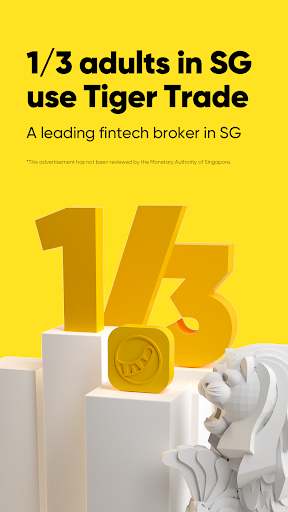
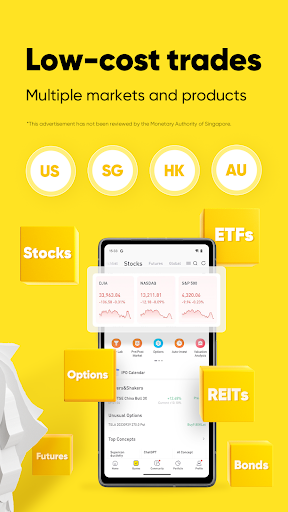
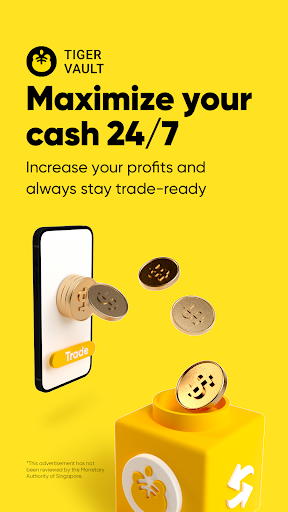
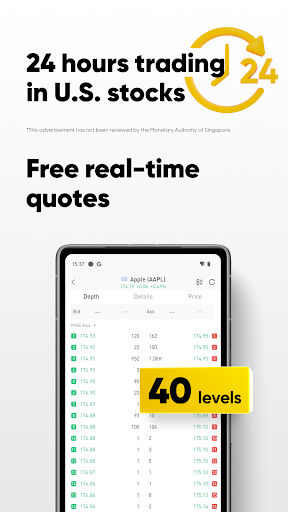
Say goodbye to complicated account setups! Waive off high commission fees! No more limited options and functionalities! Bid farewell to confusing user interfaces!
Join Tiger Trade and experience the joy of one-click global investment with over 9 million users worldwide!
--Low Investment Entry Point
- Invest in global Top companies like Apple, Tesla, Alibaba, NVIDIA, McDonald's, and more starting at just US$1.
- Begin your regular investment in blue-chip Hong Kong stocks such as Tencent, BYD, AIA, HSBC, etc. from HK$ 500 onwards.
- Invest in Singapore stocks, Australia stocks, futures, options, and various other products with competitive fees.
--Tiger Community: Global Community, Active in Singapore
Engage with investors worldwide in our Tiger Community, with Singaporeans taking the lead. Discuss insights, share ideas, and stay updated 24/7. Dive into curated courses to boost your investment skills.
--AI-powered Investment Companion
Meet TigerGPT - Your aid to summarise financial reports and essential news instantly, analyse stock price movements and get comprehensive analysis on stocks. Supercharge your investment prowess with AI!
--Tools for Discovery & Analysis
- Discover investment opportunities with trending stocks lists, popular ETF rankings, and more.
- Dive into comprehensive analyses spanning fundamentals, capital flow, technical aspects, valuations, and financial reporting for an all-rounded investment decision.
--Free real-time and in-depth market data
--Trade before and after market hours, with up to 16 hours of US stock trading time
--Robust options tools supporting various strategies, complemented with in-depth courses to guide you step by step
--Complimentary demo accounts for stocks, options and futures
--Unlimited daytrade times
We hold 70 global financial licenses and are under the supervision of multiple regulatory bodies, including the Monetary Authority of Singapore.
Tiger Trade doesn't charge any hidden fees. Please refer to our website for other applicable fees: https://www.tigerbrokers.com.sg/commissions/fees.
Registered Address:1 RAFFLES PLACE #35-61 ONE RAFFLES PLACE SINGAPORE
Disclaimer: This advertisement has not been reviewed by the Monetary Authority of Singapore.
Show more

1. Download MEmu installer and finish the setup

2. Start MEmu then open Google Play on the desktop

3. Search Tiger Trade: Invest globally in Google Play
Install
4. Download and Install Tiger Trade: Invest globally
5. On install completion click the icon to start

6. Enjoy using Tiger Trade: Invest globally on PC with MEmu
MEmu Play is the best Android emulator, and 100 million users already enjoy its superb Android app experience. Powered by advanced virtualization technology, it lets you enjoy thousands of Android apps smoothly on your PC—including the most graphics-intensive ones.
Bigger screen with better graphics; Long duration, without limitation of battery or mobile data.
Full Keymapping support for precise control of keyboard and mouse or gamepad.
Multiple game accounts or tasks on single PC at one time with Multi-Instance manager.
Use Tiger Trade: Invest globally on PC by following steps:
































