BanG Dream! Our Notes
Actualizada
Versión actual
Ofrecida por

Con toda tu pasión para jugar BanG Dream! Our Notes, no se supone que tus manos estén limitadas en una pequeña pantalla de tu teléfono. Juega como un profesional y obtén el control total de tu juego con el teclado y el mouse. MEmu le ofrece todas las cosas que espera. Descargar y jugar BanG Dream! Our Notes en PC. Juega todo el tiempo que quieras, sin más limitaciones de batería, datos móviles y llamadas molestas. El nuevo MEmu 9 es la mejor opción para jugar BanG Dream! Our Notes en PC. Preparado con nuestra experiencia, el exquisito sistema de keymapping preestablecido convierte a BanG Dream! Our Notes en un verdadero juego de PC. Codificado con nuestra absorción, el administrador de instancias múltiples hace posible jugar 2 o más cuentas en el mismo dispositivo. Y lo más importante, nuestro exclusivo motor de emulación puede liberar todo el potencial de su PC, hacer que todo sea más fluido. Nos importa no solo cómo juegas, sino también todo el proceso de disfrutar de la felicidad de los juegos.
Más detalles
Descargar BanG Dream! Our Notes en PC con MEmu Android Emulador. Disfruta jugando en la pentalla grande. Presenting BanG Dream!
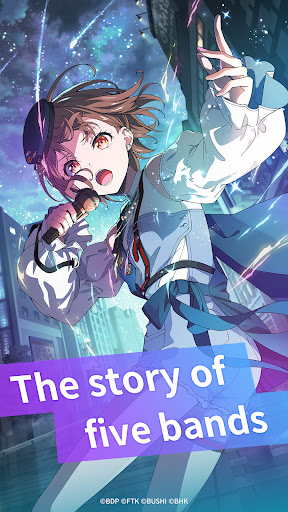
Presenting BanG Dream! Our Notes, a brand-new rhythm game adventure from BanG Dream! Project!
Enjoy a wide variety of songs from five bands and discover a rich new story waiting to unfold.
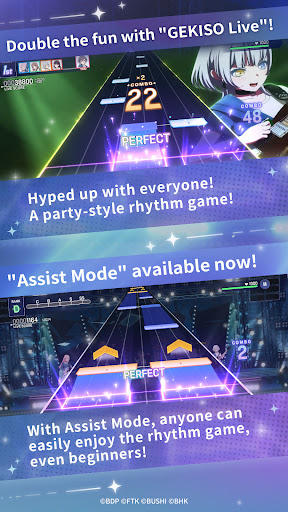
◆New Rhythm Game System: “GEKISO LIVE”◆
Special GEKISO sections will now appear during rhythm gameplay!
Combos, timing precision, and even luck—put your rhythm game skills to the ultimate challenge in an exciting new gameplay experience!
Feel the excitement and immersion of a real BanG Dream! live performance and enjoy the party-style rhythm gameplay with up to five players!
Our Notes also features an exclusive new system: Assist Mode!
Whether you're new to rhythm games or just looking for a more relaxed experience, Assist Mode lets everyone enjoy the performance and improve at their own pace.
◆From Original Songs to the Latest Hit Covers◆
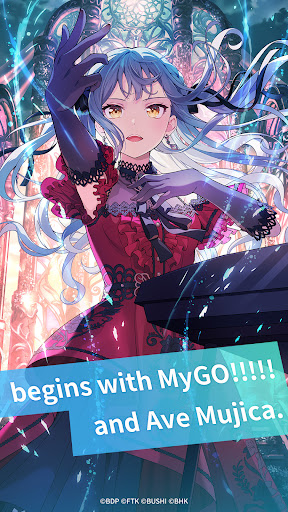
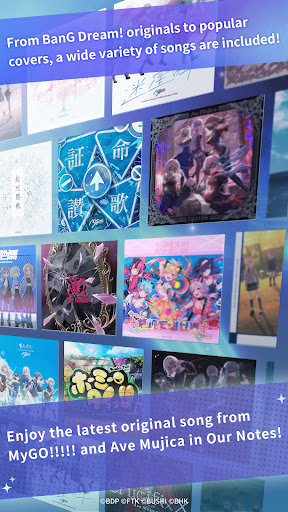
From iconic original songs featured in the BanG Dream! anime—including tracks by MyGO!!!!! and Ave Mujica—to a wide range of popular cover songs, the lineup is packed with music to enjoy!
Play your favorite songs, from the latest hits to beloved classics.
You can also watch a variety of performance scenes and music videos from the BanG Dream! anime series.
Plus, the latest tracks from fan-favorite bands MyGO!!!!! and Ave Mujica will be available first in Our Notes!
【BanG Dream! Songs】
・Mayoiuta / MyGO!!!!!
・KiLLKiSS / Ave Mujica
・Haruhikage (MyGO!!!!! ver.) / MyGO!!!!!
・MUGEN MY WORLD / Mugendai MewType
・Kishi Kaisen / millsage
・Homie’s Tie!! / Ikka Dumb Rock!
...and many more
More cover songs will be coming up soon!
◆New Stories Woven by Five Bands◆
Alongside MyGO!!!!!, Ave Mujica, and Mugendai MewType, millsage and Ikka Dumb Rock! also join the stage!
With the Cinematic Story System, characters move vividly with rich expressions, just like in a movie or anime.
Special scenes also feature animated sequences, including all-new cuts.
A wide range of visual effects and illustrated scenes come together to deliver a spectacularly renewed story experience.
Relive the familiar anime stories of MyGO!!!!!, Ave Mujica, and Mugendai MewType from the game-exclusive perspective. You can also enjoy special episodes that continue the anime stories, available exclusively in Our Notes. Meanwhile, millsage and Ikka Dumb Rock! will unfold completely original stories from the very beginning.
Experience vibrant stories woven by five distinctive bands and a total of 25 unique members.
◆Official Website◆
https://bdon.biligames.com/?lang=en-us
©BanG Dream! Project ©FROMTOKYO ©Bushiroad. Published by BILIBILI HK LIMITED
Más detalles

1. Descargar el instalador de MEmu y finalice la instalación

2. Iniciar MEmu y abrir Google Play en la página de inicio

3. Buscar BanG Dream! Our Notes en Google Play
Install
4. Descargar y instalar BanG Dream! Our Notes
5. Hacer click al icono para iniciar

6. Disfruta jugando BanG Dream! Our Notes en PC con MEmu
MEmu App Player es el mejor emulador de Android gratuito y 50 millones de personas ya están disfrutando su magnífica experiencia jugando en Android. La tecnología de virtualización de MEmu te permite jugar a miles de juegos Android suavemente en tu PC, incluso los más intensivos gráficamente.
Pantalla más grande con mejores gráficos; Larga duración, sin limitación de batería o datos móviles.
Soporte completo de keymapping para un control preciso del teclado y el mouse o gamepad.
Múltiples cuentas de juegos o tareas en una sola PC a la vez con el administrador de instancias múltiples.
Play BanG Dream! Our Notes on PC by following steps: