Monkey Battle: Swing Shot
Ενημερώθηκε
Τρέχουσα έκδοση
Προσφέρεται από

Με όλο το πάθος σας για το παιχνίδι Monkey Battle: Swing Shot, τα χέρια σας δεν πρέπει να περιορίζονται σε μια μικροσκοπική οθόνη του τηλεφώνου σας. Παίξτε σαν επαγγελματίας και αποκτήστε τον πλήρη έλεγχο του παιχνιδιού σας με πληκτρολόγιο και ποντίκι. Το MEmu σας προσφέρει όλα όσα περιμένετε. Κατεβάστε και παίξτε Monkey Battle: Swing Shot σε υπολογιστή. Παίξτε όσο θέλετε, χωρίς άλλους περιορισμούς μπαταρίας, δεδομένων κινητής τηλεφωνίας και ενοχλητικών κλήσεων. Το ολοκαίνουργιο MEmu 9 είναι η καλύτερη επιλογή για να παίξετε Monkey Battle: Swing Shot σε υπολογιστή. Ετοιμασμένο με την εμπειρία μας, το εξαιρετικό σύστημα προκαθορισμένης αντιστοίχισης πλήκτρων καθιστά το Monkey Battle: Swing Shot ένα πραγματικό παιχνίδι υπολογιστή. Ο διαχειριστής πολλαπλών περιπτώσεων MEmu καθιστά δυνατό το παιχνίδι με 2 ή περισσότερους λογαριασμούς στην ίδια συσκευή. Και το πιο σημαντικό, η αποκλειστική μηχανή εξομοίωσης μας μπορεί να απελευθερώσει πλήρως τις δυνατότητες του υπολογιστή σας, κάνοντας τα πάντα ομαλά.
Show more
Απολαύστε την υπέροχη εμπειρία αναπαραγωγής του Monkey Battle: Swing Shot σε υπολογιστή με το MEMU App Player. Πρόκειται για έναν ισχυρό δωρεάν εξομοιωτή Android που σας επιτρέπει να παίζετε χιλιάδες παιχνίδια Android. A desperate yet hilarious survival war of animals hanging from trees!
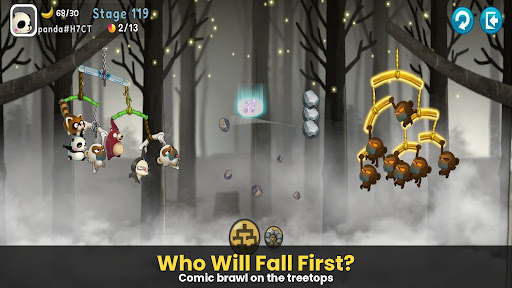
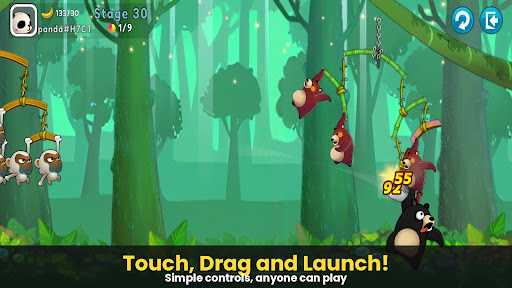
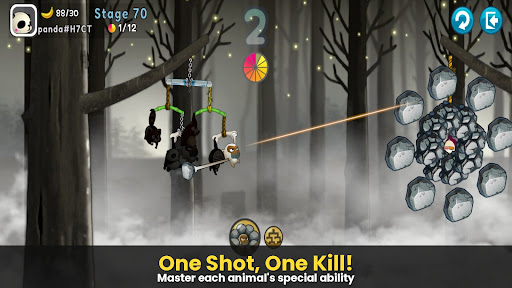
A desperate yet hilarious survival war of animals hanging from trees!
The pinnacle of slingshot action that took the world by storm, [Monkey Battle: Swing Shot] is back.
Hop onto the branches and launch the perfect shot using the power of gravity!
▣ Game Features
■ Tap, Pull, and Pop! Ultimate Physics-Based Action
Master the sophisticated physics engine with simple touch-and-drag controls.
Calculate the sway of branches—both yours and the enemy's—to strike the weak spot.
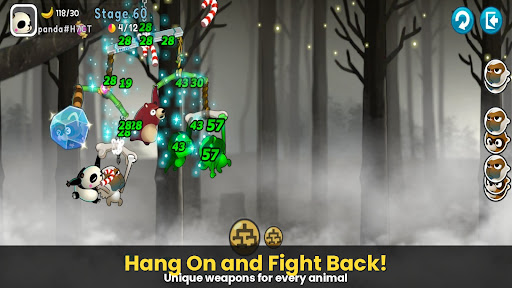
Enjoy the realistic and comical reactions of animals the moment they get hit!
■ Strategic Squad: Build Your Own Animal Army
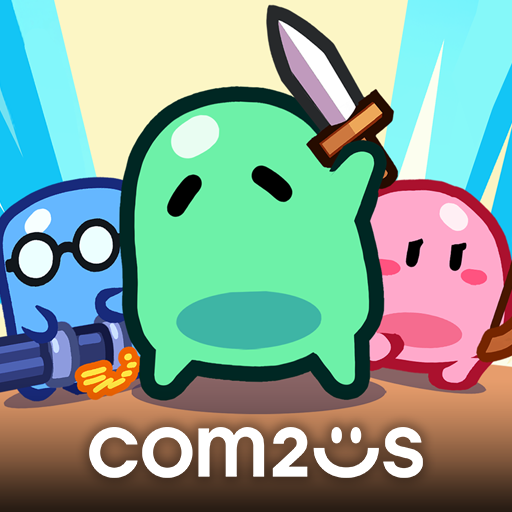
Collect characters with unique abilities, including Monkeys, Raccoons, Brown Bears, Sloths, and Pandas.
Victory depends on your strategy! The placement and composition of your squad are key.
Upgrade to sturdy branches to build an ironclad defense that withstands any attack.
■ Non-Stop Action Across Various Modes
Arcade Mode: Overcome diverse terrains and gimmicks to test your limits in this training ground.
Item Mode: Traditional slingshot battles where strategic item use turns the tide.
Sniper Mode: Precision is everything—don't miss a single shot.
Crazy Mode: Experience extreme speed and overwhelming firepower.
***
Device App Access Permission Notice
Access permissions are requested in order for us to provide you with the following service when you use the app.
[Required]
None
[Optional]
· NOTIFICATION: The permission is required to receive info sent from the game app and advertisement push notifications.
[How to Remove Permissions]
You can reset or remove permissions after allowing them as shown below.
1. Android 6.0 or above: Settings > Apps > Select App > Permissions > Allow or Remove Permissions
2. Android 6.0 or below: Upgrade the operating system to remove permissions or delete the app
※ If you are using Android 6.0 or below, we recommend that you upgrade to 6.0 or above as you can't change the optional permissions individually.
***
• Supported Languages: 한국어, English, 简体中文, 繁體中文, Français, Deutsch
• Unsupported devices: iPhone 3GS, 3rd/4th Gen iPod Touch, iPad 1
• This app is free-to-play and offers in-app purchases. Purchasing paid items may incur additional fees, and payment cancelation may not be available depending on the type of the item.
• Conditions regarding the usage of this game (contract termination/payment cancelation, etc.) can be viewed in the game or the Com2uS mobile game Terms of Service (available on the website, https://terms.withhive.com/terms/policy/view/M121/T1 ).
• For game-related inquiries, please contact the Com2uS Customer Support (https://customer.withhive.com/com2us).
Show more

1. Κατεβάστε το πρόγραμμα εγκατάστασης MEmu και ολοκληρώστε την εγκατάσταση

2. Ξεκινήστε το MEmu και στη συνέχεια ανοίξτε το Google Play στην επιφάνεια εργασίας

3. Αναζητήστε τον Monkey Battle: Swing Shot στο Google Play
Install
4. Λήψη και εγκατάσταση του Monkey Battle: Swing Shot
5. Μόλις ολοκληρωθεί η εγκατάσταση, κάντε κλικ στο εικονίδιο για να ξεκινήσετε

6. Enjoy playing Monkey Battle: Swing Shot on PC with MEmu
Το MEmu Play, αποτελεί την ιδανικότερη δωρεάν λύση για την εξομοίωση του λειτουργικού Android, και χρησιμοποιείται ήδη από περισσότερους από 50 εκατομμύρια χρήστες, ο οποίοι απολαμβάνουν, την καταπληκτική εμπειρία παιχνιδιού που προσφέρεται μέσω της εφαρμογής. Με τη χρήση του MEmu Virtualization, είναι δυνατή η αναπαραγωγή παιχνιδιών Android στον υπολογιστή, ακόμη και εκείνων που απαιτούν μεγάλη επεξεργαστική ισχύ γραφικών, δίχως συμβιβασμούς στην ποιότητα και στην εμπειρία χρήσης, ακριβώς όπως ένα τελευταίας γενιάς κινητό τηλέφωνο.
Μεγαλύτερη οθόνη με καλύτερα γραφικά. Μεγάλη διάρκεια ζωής, χωρίς περιορισμό μπαταρίας ή δεδομένων κινητής τηλεφωνίας.
Πλήρης υποστήριξη αντιστοίχισης πλήκτρων για ακριβή έλεγχο του πληκτρολογίου και του ποντικιού ή του gamepad.
Πολλαπλοί λογαριασμοί παιχνιδιών ή εργασίες σε έναν υπολογιστή ταυτόχρονα με τον διαχειριστή πολλαπλών περιπτώσεων.
Play Monkey Battle: Swing Shot on PC by following steps: