Monkey Battle: Swing Shot
আপডেট করা হয়েছে
বর্তমান সংস্করণ
অফার করেছে

Monkey Battle: Swing Shot খেলার জন্য আপনার সমস্ত আবেগের সাথে, আপনার হাত আপনার ফোনের একটি ছোট স্ক্রিনে সীমাবদ্ধ থাকার কথা নয়। একজন পেশাদারের মতো খেলুন এবং কীবোর্ড এবং মাউস দিয়ে আপনার গেমের সম্পূর্ণ নিয়ন্ত্রণ পান। মেমু আপনাকে এমন সমস্ত জিনিস সরবরাহ করে যা আপনি প্রত্যাশা করছেন। ডাউনলোড করুন এবং পিসিতে Monkey Battle: Swing Shot খেলুন। আপনি যতক্ষণ চান ততক্ষণ খেলুন, ব্যাটারি, মোবাইল ডেটা এবং বিরক্তিকর কলগুলির আর কোনও সীমাবদ্ধতা নেই। একদম নতুন MEmu 9 হল পিসিতে Monkey Battle: Swing Shot খেলার সেরা পছন্দ। আমাদের দক্ষতার সাথে প্রস্তুত, সূক্ষ্ম প্রিসেট কীম্যাপিং সিস্টেম Monkey Battle: Swing Shot কে একটি বাস্তব পিসি গেম করে তোলে। MEmu মাল্টি-ইনস্ট্যান্স ম্যানেজার একই ডিভাইসে 2 বা তার বেশি অ্যাকাউন্ট চালানো সম্ভব করে তোলে। এবং সবচেয়ে গুরুত্বপূর্ণ, আমাদের একচেটিয়া ইমুলেশন ইঞ্জিন আপনার পিসির সম্পূর্ণ সম্ভাবনা প্রকাশ করতে পারে, সবকিছুকে মসৃণ করে তুলতে পারে।
বেশি দেখান
MEmu Play দিয়ে পিসিতে Monkey Battle: Swing Shot ডাউনলোড করুন। বড় স্ক্রিনে এটি উপভোগ করুন। A desperate yet hilarious survival war of animals hanging from trees!
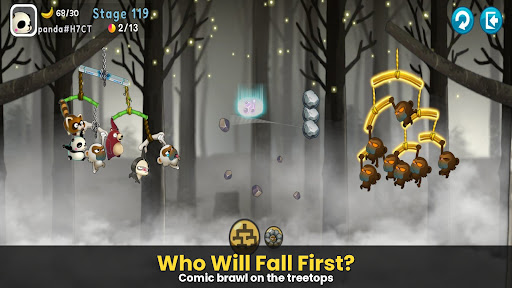
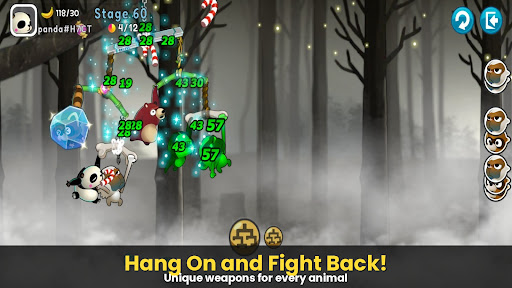
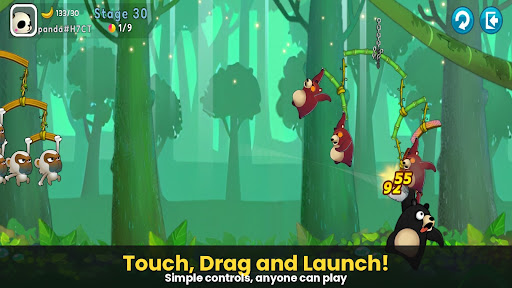
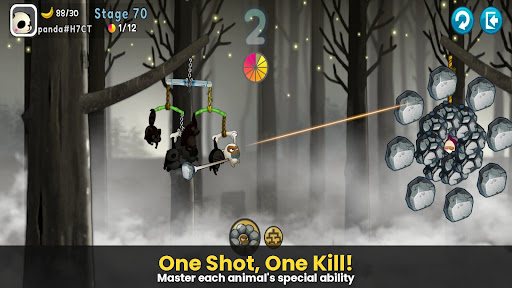
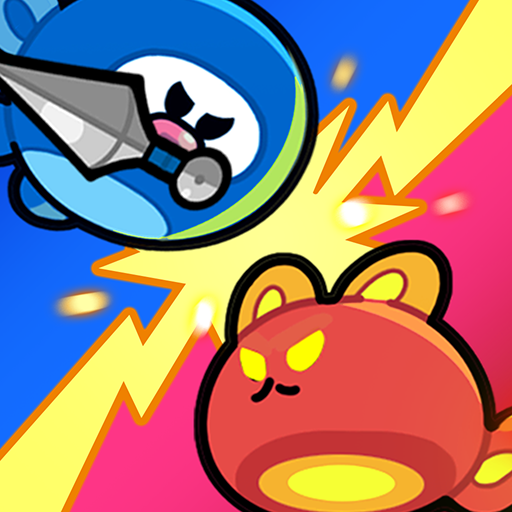
A desperate yet hilarious survival war of animals hanging from trees!
The pinnacle of slingshot action that took the world by storm, [Monkey Battle: Swing Shot] is back.
Hop onto the branches and launch the perfect shot using the power of gravity!
▣ Game Features
■ Tap, Pull, and Pop! Ultimate Physics-Based Action
Master the sophisticated physics engine with simple touch-and-drag controls.
Calculate the sway of branches—both yours and the enemy's—to strike the weak spot.
Enjoy the realistic and comical reactions of animals the moment they get hit!
■ Strategic Squad: Build Your Own Animal Army
Collect characters with unique abilities, including Monkeys, Raccoons, Brown Bears, Sloths, and Pandas.
Victory depends on your strategy! The placement and composition of your squad are key.
Upgrade to sturdy branches to build an ironclad defense that withstands any attack.
■ Non-Stop Action Across Various Modes
Arcade Mode: Overcome diverse terrains and gimmicks to test your limits in this training ground.
Item Mode: Traditional slingshot battles where strategic item use turns the tide.
Sniper Mode: Precision is everything—don't miss a single shot.
Crazy Mode: Experience extreme speed and overwhelming firepower.
***
Device App Access Permission Notice
Access permissions are requested in order for us to provide you with the following service when you use the app.
[Required]
None
[Optional]
· NOTIFICATION: The permission is required to receive info sent from the game app and advertisement push notifications.
[How to Remove Permissions]
You can reset or remove permissions after allowing them as shown below.
1. Android 6.0 or above: Settings > Apps > Select App > Permissions > Allow or Remove Permissions
2. Android 6.0 or below: Upgrade the operating system to remove permissions or delete the app
※ If you are using Android 6.0 or below, we recommend that you upgrade to 6.0 or above as you can't change the optional permissions individually.
***
• Supported Languages: 한국어, English, 简体中文, 繁體中文, Français, Deutsch
• Unsupported devices: iPhone 3GS, 3rd/4th Gen iPod Touch, iPad 1
• This app is free-to-play and offers in-app purchases. Purchasing paid items may incur additional fees, and payment cancelation may not be available depending on the type of the item.
• Conditions regarding the usage of this game (contract termination/payment cancelation, etc.) can be viewed in the game or the Com2uS mobile game Terms of Service (available on the website, https://terms.withhive.com/terms/policy/view/M121/T1 ).
• For game-related inquiries, please contact the Com2uS Customer Support (https://customer.withhive.com/com2us).
বেশি দেখান

1. MEmu ইনস্টলার ডাউনলোড করুন এবং সেটআপ শেষ করুন

2. MEmu শুরু করুন তারপর ডেস্কটপে Google Play খুলুন

3. Google Play এ Monkey Battle: Swing Shot খুঁজুন
Install
4. Monkey Battle: Swing Shot ডাউনলোড এবং ইনস্টল করুন
5. ইনস্টল সমাপ্তি শুরু করতে আইকনে ক্লিক করুন

6. MEmu এর সাথে পিসিতে Monkey Battle: Swing Shot খেলা উপভোগ করুন
মেমু প্লে হল সেরা অ্যান্ড্রয়েড এমুলেটর এবং 100 মিলিয়ন মানুষ ইতিমধ্যেই এর দুর্দান্ত অ্যান্ড্রয়েড গেমিং অভিজ্ঞতা উপভোগ করছে। MEmu ভার্চুয়ালাইজেশন প্রযুক্তি আপনাকে আপনার পিসিতে হাজার হাজার অ্যান্ড্রয়েড গেম মসৃণভাবে খেলার ক্ষমতা দেয়, এমনকি সবচেয়ে গ্রাফিক-ইনটেনসিভ গেমগুলিও।
ভালো গ্রাফিক্সের সাথে বড় স্ক্রীন; লম্বা অবধি, ব্যাটারি বা মোবাইল ডাটা'র কোন সীমা ছাড়া।
কীবোর্ড এবং মাউস বা গেমপ্যাডের সুনির্দিষ্ট নিয়ন্ত্রণের জন্য সম্পূর্ণ কীম্যাপিং সমর্থন।
মাল্টি-ইনস্ট্যান্স ম্যানেজারের সাথে একটি পিসিতে একাধিক গেম অ্যাকাউন্ট বা কাজ।
নিম্নলিখিত ধাপগুলোর মাধ্যমে পিসি এ Monkey Battle: Swing Shot খেলুন: