Monkey Battle: Swing Shot
Zaktualizowano
Aktualna wersja
Sprzedawca

Przy całej swojej pasji do grania w Monkey Battle: Swing Shot, twoje ręce nie powinny być ograniczone na małym ekranie telefonu. Graj jak zawodowiec i uzyskaj pełną kontrolę nad grą za pomocą klawiatury i myszy. MEmu oferuje ci wszystko, czego oczekujesz. Pobierz i graj Monkey Battle: Swing Shot na PC. Graj tak długo, jak chcesz, bez ograniczeń baterii, danych komórkowych i niepokojących połączeń. Zupełnie nowy MEmu 9 to najlepszy wybór do grania w Monkey Battle: Swing Shot na PC. Przygotowany dzięki naszej wiedzy, znakomity, wstępnie ustawiony system mapowania klawiszy sprawia, że Monkey Battle: Swing Shot jest prawdziwą grą na PC. Zakodowany naszą absorpcją, menedżer wielu instancji umożliwia granie na 2 lub więcej kontach na tym samym urządzeniu. A co najważniejsze, nasz emulator może uwolnić pełny potencjał twojego komputera, sprawić, że wszystko będzie płynne. Dbamy nie tylko o to, jak grasz, ale także o cały proces czerpania radości z grania.
Pokaż więcej
Ciesz się wspaniałym doświadczeniem podczas grania w Monkey Battle: Swing Shot na komputerze z aplikacją MEMU App Player. Jest to potężny darmowy emulator Androida pozwalający grać w tysiące gier na Androida. A desperate yet hilarious survival war of animals hanging from trees!
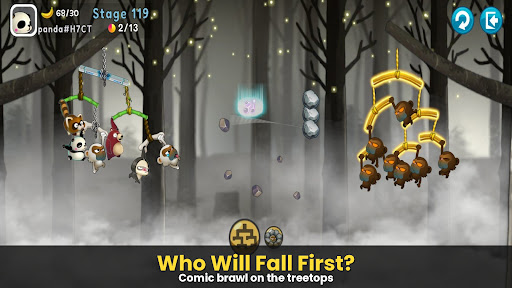
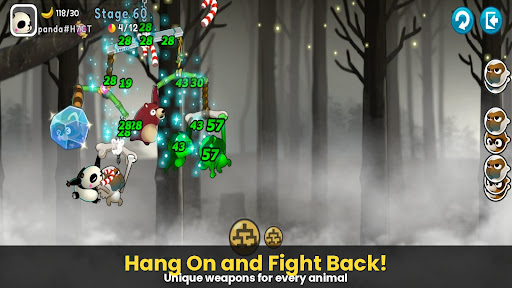
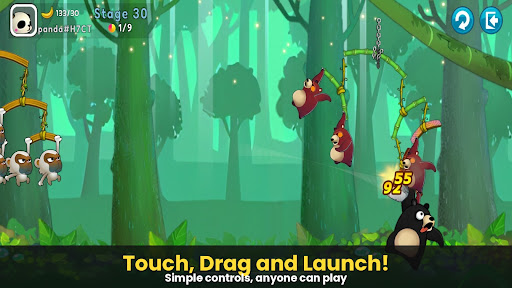
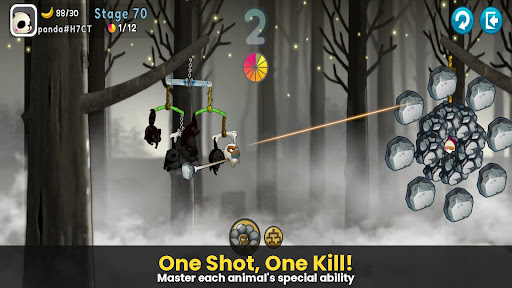
A desperate yet hilarious survival war of animals hanging from trees!
The pinnacle of slingshot action that took the world by storm, [Monkey Battle: Swing Shot] is back.
Hop onto the branches and launch the perfect shot using the power of gravity!
▣ Game Features
■ Tap, Pull, and Pop! Ultimate Physics-Based Action
Master the sophisticated physics engine with simple touch-and-drag controls.
Calculate the sway of branches—both yours and the enemy's—to strike the weak spot.
Enjoy the realistic and comical reactions of animals the moment they get hit!
■ Strategic Squad: Build Your Own Animal Army
Collect characters with unique abilities, including Monkeys, Raccoons, Brown Bears, Sloths, and Pandas.
Victory depends on your strategy! The placement and composition of your squad are key.
Upgrade to sturdy branches to build an ironclad defense that withstands any attack.
■ Non-Stop Action Across Various Modes
Arcade Mode: Overcome diverse terrains and gimmicks to test your limits in this training ground.
Item Mode: Traditional slingshot battles where strategic item use turns the tide.
Sniper Mode: Precision is everything—don't miss a single shot.
Crazy Mode: Experience extreme speed and overwhelming firepower.
***
Device App Access Permission Notice
Access permissions are requested in order for us to provide you with the following service when you use the app.
[Required]
None
[Optional]
· NOTIFICATION: The permission is required to receive info sent from the game app and advertisement push notifications.
[How to Remove Permissions]
You can reset or remove permissions after allowing them as shown below.
1. Android 6.0 or above: Settings > Apps > Select App > Permissions > Allow or Remove Permissions
2. Android 6.0 or below: Upgrade the operating system to remove permissions or delete the app
※ If you are using Android 6.0 or below, we recommend that you upgrade to 6.0 or above as you can't change the optional permissions individually.
***
• Supported Languages: 한국어, English, 简体中文, 繁體中文, Français, Deutsch
• Unsupported devices: iPhone 3GS, 3rd/4th Gen iPod Touch, iPad 1
• This app is free-to-play and offers in-app purchases. Purchasing paid items may incur additional fees, and payment cancelation may not be available depending on the type of the item.
• Conditions regarding the usage of this game (contract termination/payment cancelation, etc.) can be viewed in the game or the Com2uS mobile game Terms of Service (available on the website, https://terms.withhive.com/terms/policy/view/M121/T1 ).
• For game-related inquiries, please contact the Com2uS Customer Support (https://customer.withhive.com/com2us).
Pokaż więcej

1. Pobierz instalator MEmu i zakończ instalację

2. Uruchom MEmu, a następnie otwórz Google Play na pulpicie

3. Wyszukaj Monkey Battle: Swing Shot w Google Play
Install
4. Pobierz i zainstaluj Monkey Battle: Swing Shot
5. Po zakończeniu instalacji kliknij ikonę, aby rozpocząć

6. Ciesz się grą Monkey Battle: Swing Shot na PC z MEmu
MEmu Play to najlepszy emulator Androida, a 100 milionów ludzi już korzysta z jego i dosta doskonałe wrażenia z gier na Androida. Technologia wirtualizacji MEmu umożliwia płynne granie w tysiące gier Androida na komputerze, nawet tych najbardziej wymagających grafiki.
Większy ekran z lepszą grafiką; Długi czas, bez ograniczeń baterii lub danych mobilnych.
Pełna obsługa mapowania klawiszy dla precyzyjnego sterowania klawiaturą i myszą lub gamepadem.
Wiele kont gier lub zadań na jednym komputerze jednocześnie z menedżerem wielu instancji.
Play Monkey Battle: Swing Shot on PC by following steps: