Monkey Battle: Swing Shot
Atualizada
Versão atual
1.0.16
Oferecido por

Com toda a sua paixão por jogar Monkey Battle: Swing Shot, não deixe os polegares te atrapalharem em uma pequena tela do seu celular. Jogue como um profissional e tenha controle total do seu jogo com teclado e mouse. O MEmu oferece todas as coisas que você está esperando. Baixe e jogue Monkey Battle: Swing Shot no PC. Jogue o tempo que quiser, sem mais limitações de bateria, dados móveis e aquelas ligações enquanto estiver jogando. O novíssimo MEmu 9 é a melhor escolha de jogar Monkey Battle: Swing Shot no PC. Com grandes novidades no sistema de mapeamento que faz Monkey Battle: Swing Shot um jogo de PC real. Nossa equipe melhorou o gerenciamento de várias instâncias do Android, reduzindo tempo de reprodução de 2 ou mais contas no mesmo dispositivo. O mais importante, nosso mecanimos de emulação exclusivo pode liberar todo o potencial do seu PC sem travamentos, rodando tudo liso. Nós nos preocupamos não apenas com você joga, mas com todo o processo de desfrutar de 100% do seu jogo favorito.
Mostre mais
Download do Monkey Battle: Swing Shot no PC com MEmu Android Emulador: Divirta-se jogando na tela grande. Uma guerra de sobrevivência desesperada, porém hilária, entre animais pendurados em árvores!
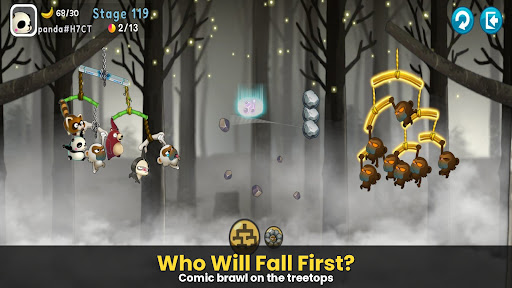
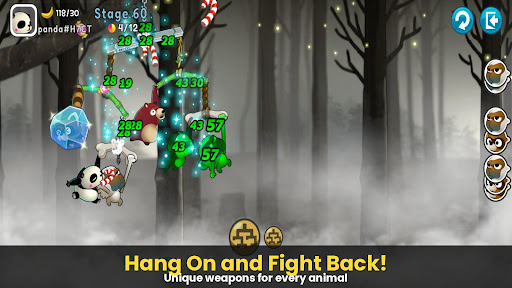
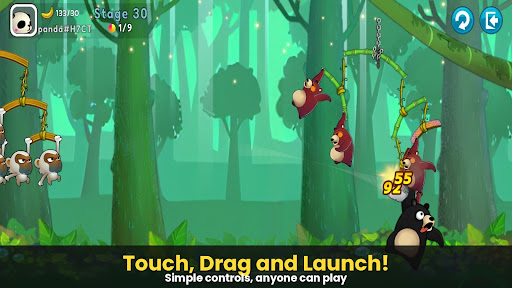
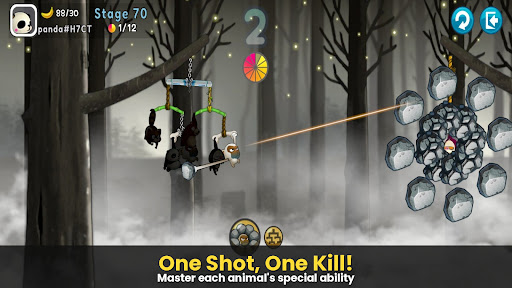
Uma guerra de sobrevivência desesperada, porém hilária, entre animais pendurados em árvores!
O auge da ação com estilingue que conquistou o mundo, [Monkey Battle: Swing Shot] está de volta.
Suba nos galhos e lance o tiro perfeito usando o poder da gravidade!
▣ Recursos do Jogo
■ Toque, Puxe e Estoure! Ação Definitiva Baseada em Física
Domine o sofisticado motor de física com controles simples de toque e arrastar.
Calcule o balanço dos galhos — tanto os seus quanto os do inimigo — para atingir o ponto fraco.
Aprecie as reações realistas e cômicas dos animais no momento em que são atingidos!
■ Esquadrão Estratégico: Monte Seu Próprio Exército Animal
Colecione personagens com habilidades únicas, incluindo Macacos, Guaxinins, Ursos Pardos, Preguiças e Pandas.
A vitória depende da sua estratégia! O posicionamento e a composição do seu esquadrão são essenciais.
Melhore seus galhos para construir uma defesa impenetrável que resista a qualquer ataque.
■ Ação Ininterrupta em Vários Modos
Modo Arcade: Supere diversos terrenos e desafios para testar seus limites neste campo de treinamento.
Modo Item: Batalhas tradicionais de estilingue onde o uso estratégico de itens pode mudar o rumo da batalha.
Modo Sniper: Precisão é tudo — não erre nenhum tiro.
Modo Louco: Experimente velocidade extrema e poder de fogo avassalador.
***
Aviso sobre Permissões de Acesso do Aplicativo
Solicitamos permissões de acesso para que possamos fornecer os seguintes serviços ao usar o aplicativo.
[Obrigatório]
Nenhuma
[Opcional]
• NOTIFICAÇÃO: A permissão é necessária para receber informações enviadas pelo aplicativo do jogo e notificações push de anúncios.
[Como Remover Permissões]
Você pode redefinir ou remover as permissões após concedê-las, conforme mostrado abaixo. 1. Android 6.0 ou superior: Configurações > Aplicativos > Selecione o aplicativo > Permissões > Permitir ou Remover Permissões
2. Android 6.0 ou inferior: Atualize o sistema operacional para remover as permissões ou exclua o aplicativo.
※ Se você estiver usando o Android 6.0 ou inferior, recomendamos que atualize para a versão 6.0 ou superior, pois não é possível alterar as permissões opcionais individualmente.
***
• Idiomas compatíveis: Coreano, Inglês, Chinês Simplificado, Chinês Tradicional, Francês, Alemão
• Dispositivos não compatíveis: iPhone 3GS, iPod Touch de 3ª/4ª geração, iPad 1
• Este aplicativo é gratuito e oferece compras dentro do aplicativo. A compra de itens pagos pode gerar taxas adicionais e o cancelamento do pagamento pode não estar disponível, dependendo do tipo de item.
• As condições relativas à utilização deste jogo (rescisão de contrato/cancelamento de pagamento, etc.) podem ser consultadas no jogo ou nos Termos de Serviço do jogo para dispositivos móveis da Com2uS (disponíveis no site https://terms.withhive.com/terms/policy/view/M121/T1).
• Para questões relacionadas com o jogo, entre em contato com o Suporte ao Cliente da Com2uS (https://customer.withhive.com/com2us).
Mostre mais

1. Faça o download do instalador do MEmu e conclua a instalação

2. Inicie o MEmu e depois abra o Google Play na página inicial

3. Pesquise Monkey Battle: Swing Shot no Google Play
Install
4. Baixe e Instale Monkey Battle: Swing Shot
5. Na conclusão da instalação, clique no ícone para iniciar

6. Divirta-se jogando Monkey Battle: Swing Shot no PC com MEmu
O MEmu App Player é o melhor emulador de Android grátis e 50 milhões de pessoas já desfrutam de sua excelente experiência de jogos no Android. A tecnologia de virtualização do MEmu permite que você jogue milhares de jogos do Android sem problemas no seu PC, mesmo os com gráficos mais intensivos.
Tela maior com gráficos melhores; Longa duração e sem limitação de bateria ou dados móveis.
Suporte completo ao Mapaeamento de Teclas para controle preciso do teclado e mouse ou gamepad.
Várias contas de jogos ou tarefas em um único PC de uma só vez com o Gerenciador de várias instâncias.
Play Monkey Battle: Swing Shot on PC by following steps: