How to Change Language in MEmu
 |
|
You can change the system language in MEmu to match your preferred language, just like on a real Android device.
Method 1: Change Android System Language
-
Open MEmu Play on your PC.
-
Go to Settings inside the Android system.
-
Tap System.
-
Select Languages & Input.
-
Tap Languages.
-
Add or select your preferred language and move it to the top of the list.
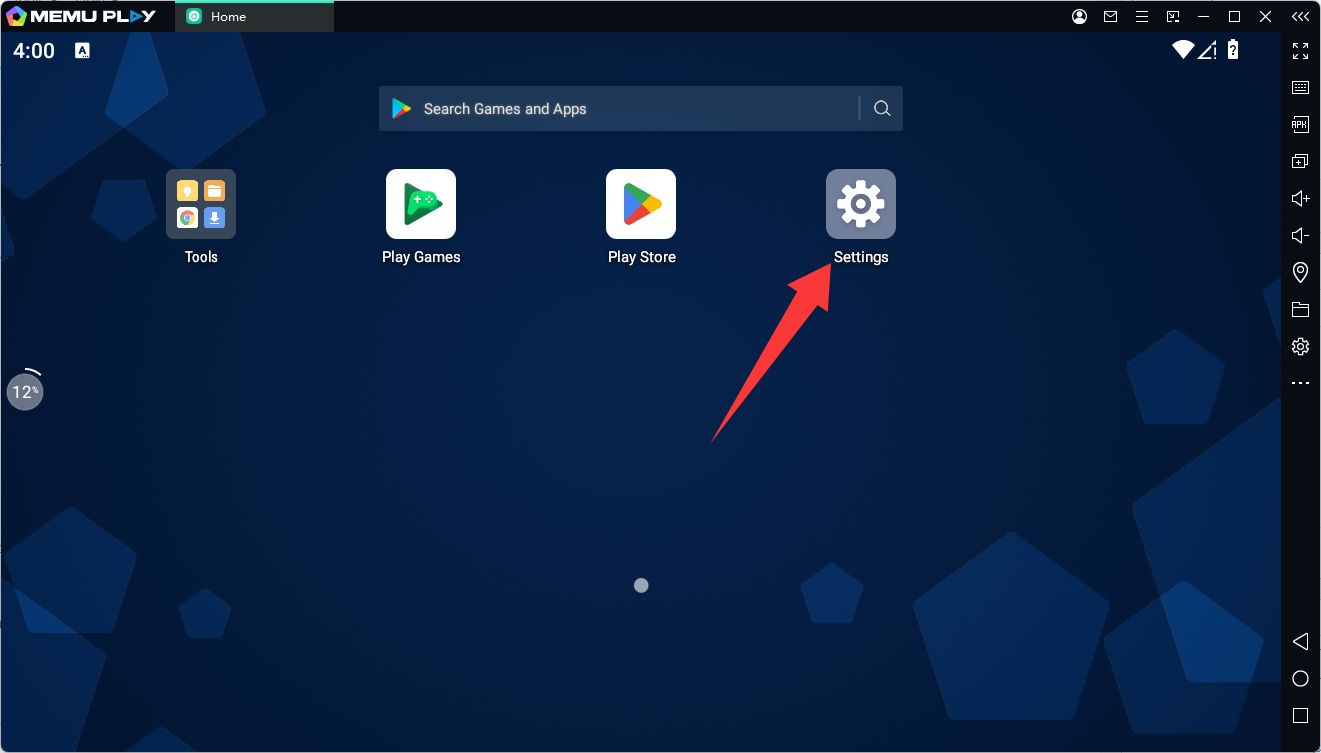
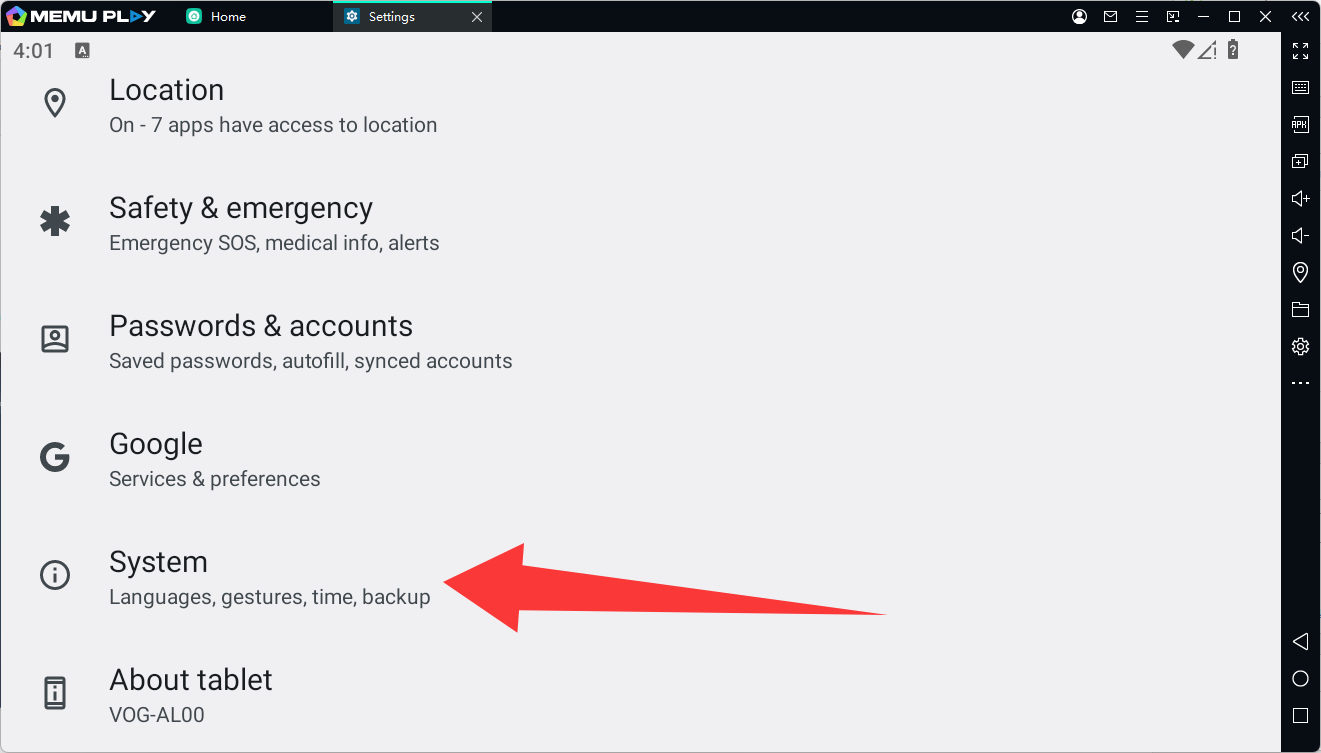
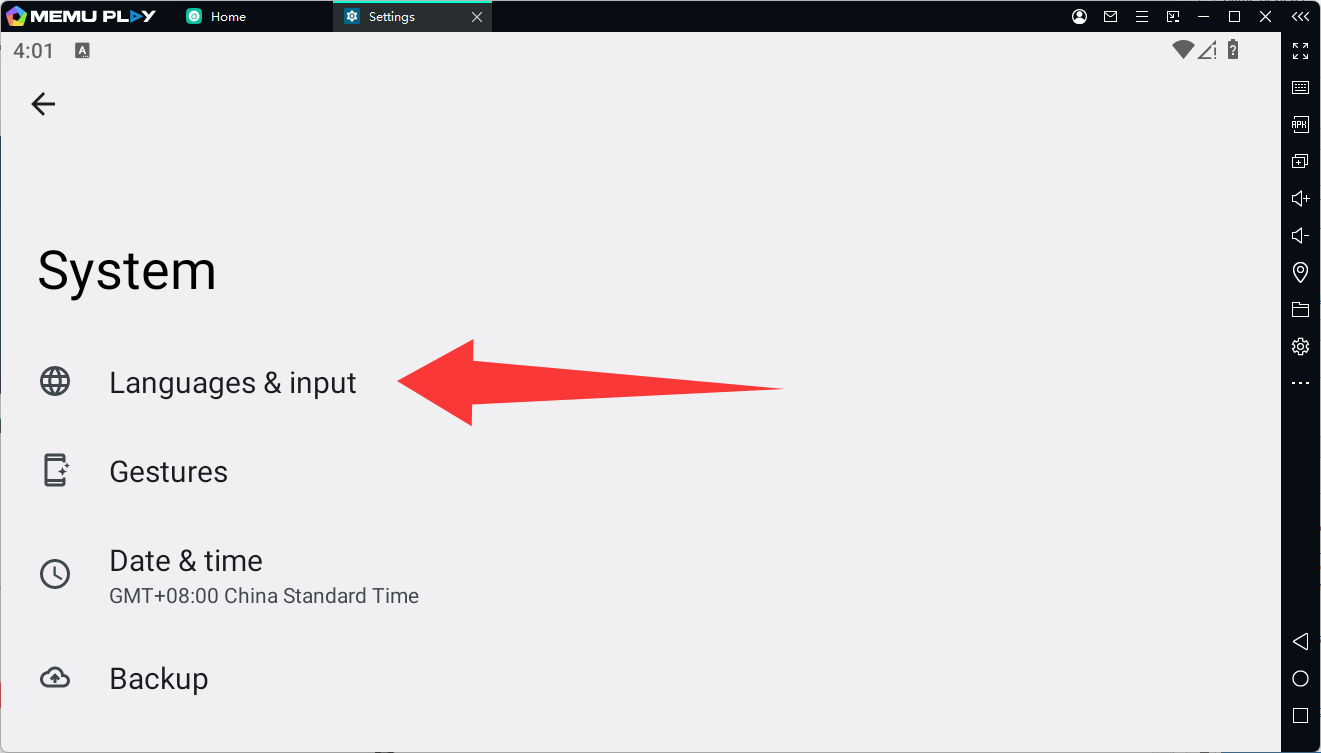
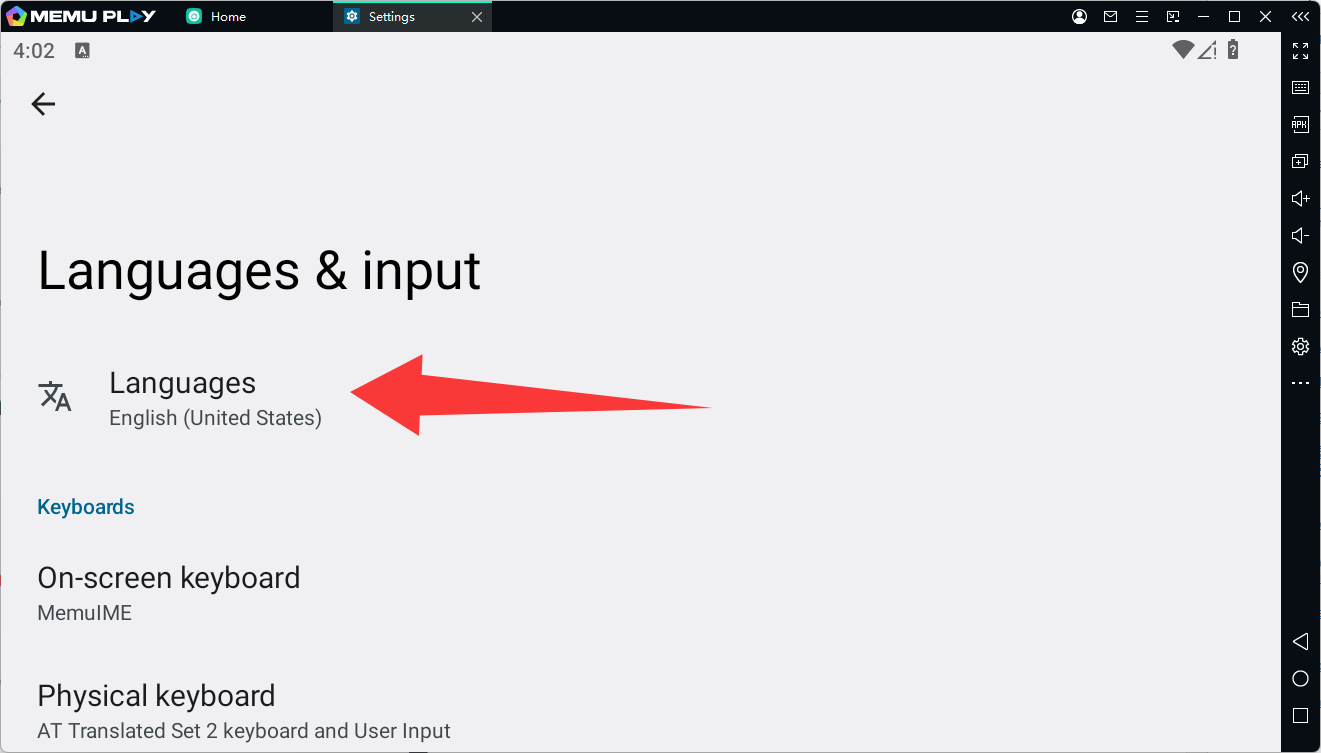
The Android interface inside MEmu will switch to the selected language.
Method 2: Change Emulator Interface Language
-
Launch MEmu Play.
-
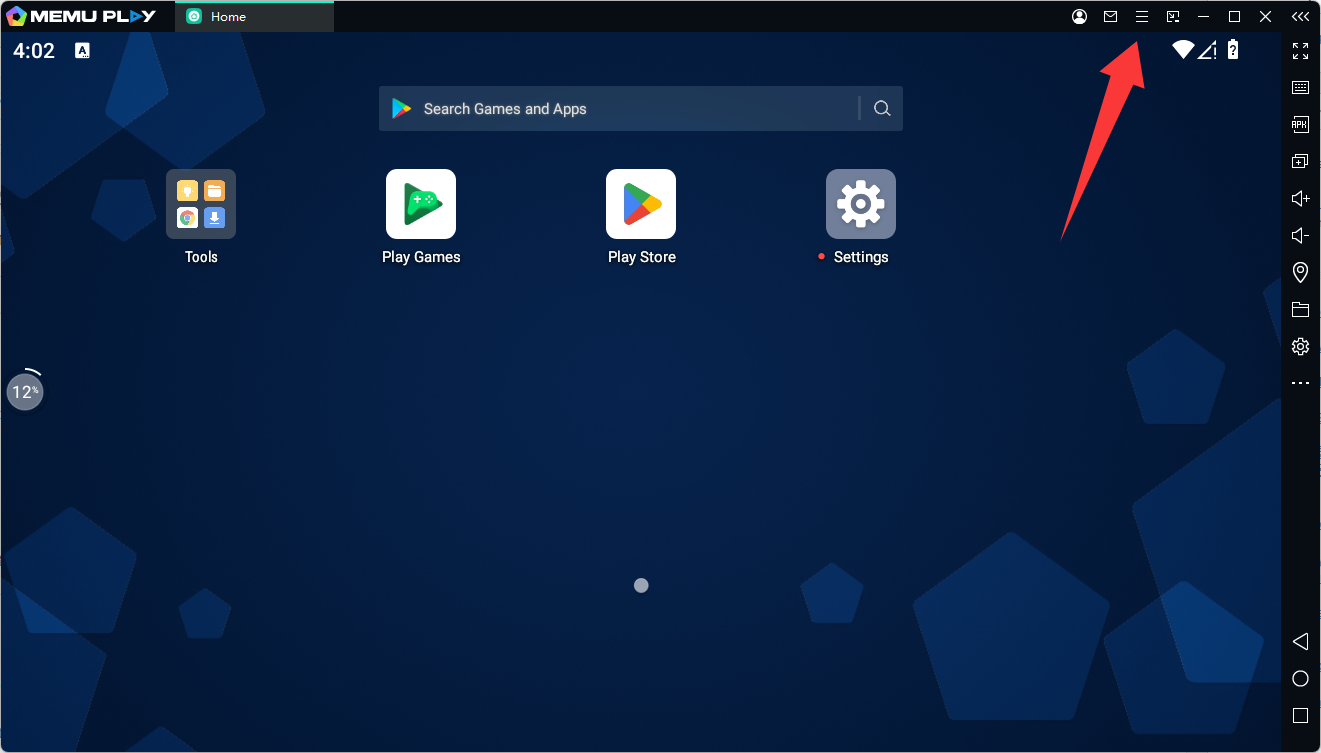
Click the Menu (☰) in the top-right corner.
-
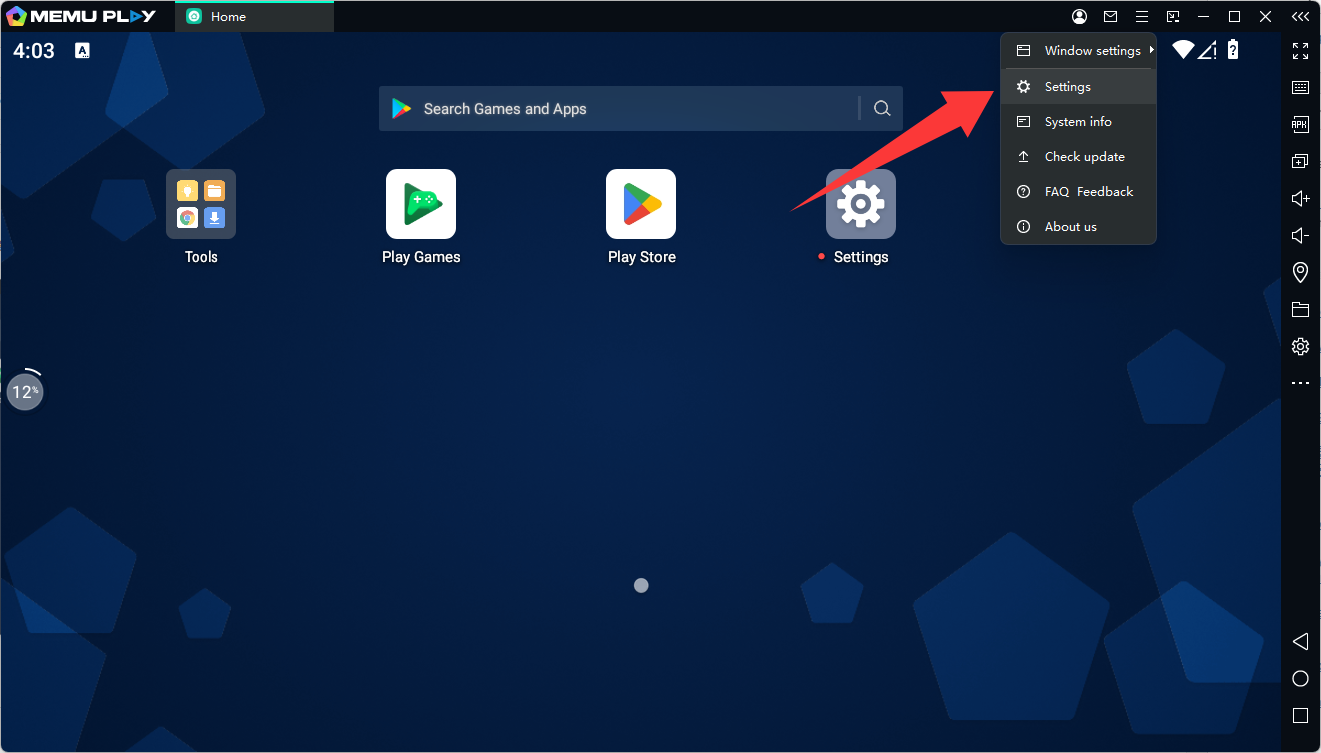
Open Settings.
-
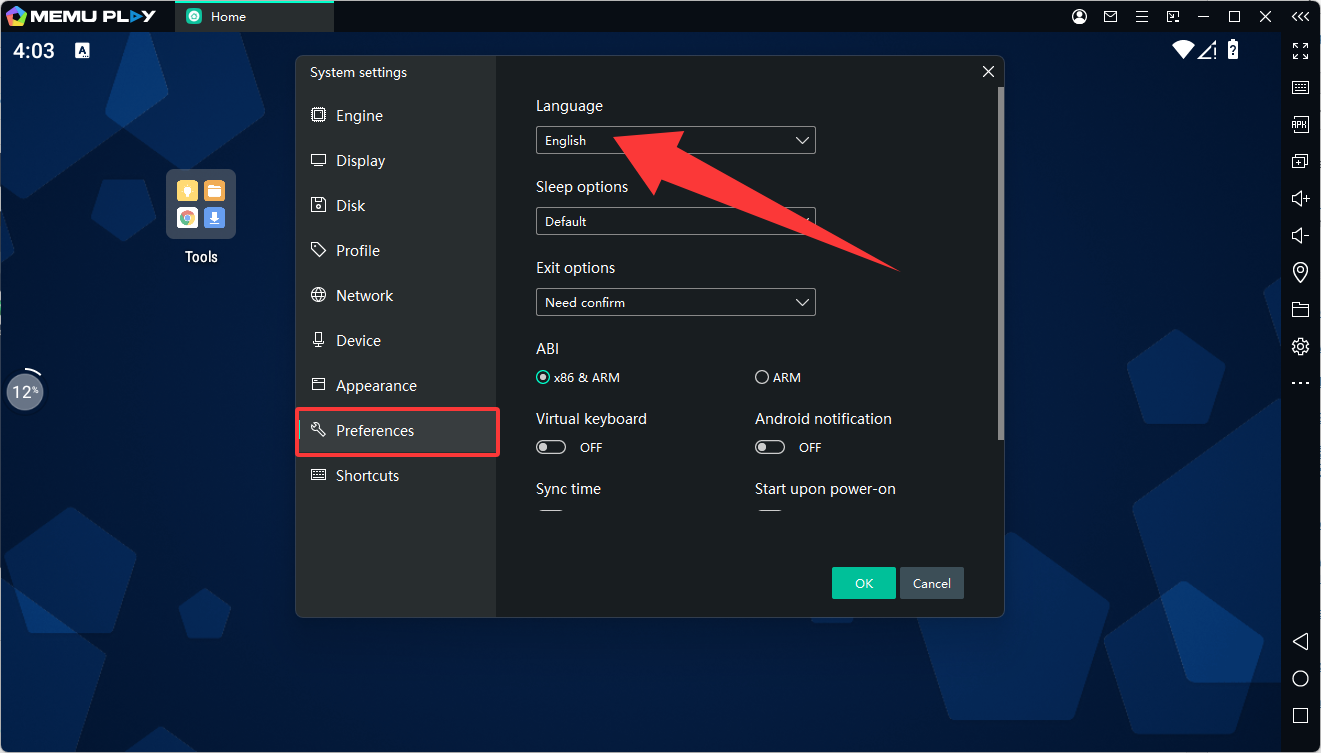
Find the Language option.
-
Choose your preferred language and restart MEmu if required.
Tips
-
Some apps may not support all languages and will remain in their default language.
-
Restarting the emulator after changing the language can help apply the changes properly.