How to Allocate More RAM to MEmu
 |
|
How to Allocate More RAM to MEmu Emulator
Increasing RAM can improve performance and reduce lag. Here’s how to do it:
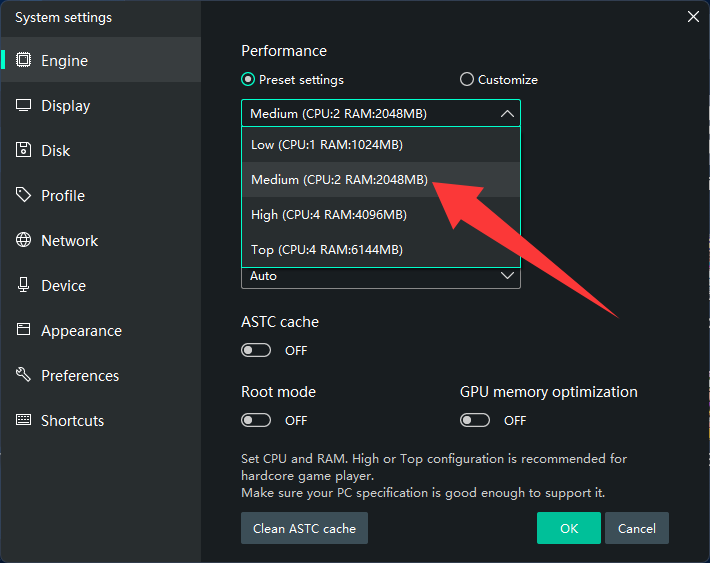
⚙️ 1. Open MEmu Settings
- Launch MEmu
- Click the Settings (gear icon)
🧠 2. Adjust RAM Allocation
- Go to Engine
- Find Memory (RAM)
- Set to:
- 4 GB (recommended for most games)
- 6–8 GB (for heavy games, if your PC allows)
💾 3. Save & Restart
- Click Save
- Restart the emulator for changes to take effect
📊 Recommended RAM Settings
- 8 GB system RAM → allocate 2–4 GB
- 16 GB system RAM → allocate 4–8 GB
- Always leave enough RAM for Windows
⚠️ Tips
- Don’t allocate all your RAM (can cause lag/crashes)
- Combine with:
- 4 CPU cores
- High performance mode
- Close background apps for best results