How to Update MEmu to the Latest Version
 |
|
How to Update MEmu Play to the Latest Version
Keeping MEmu updated ensures better performance, improved compatibility with new games, and bug fixes.
Method 1: Reinstall the Latest Version (Recommended)
-
Visit the official MEmu website.
-
Download the latest MEmu installer.
-
Run the installer on your PC.
-
Install it over your existing version.

MEmu supports overwrite installation, so updating usually keeps your existing data and emulator instances. However, it is recommended to back up important data before updating.
Method 2: Update from Inside MEmu
-
Open MEmu Play.
-
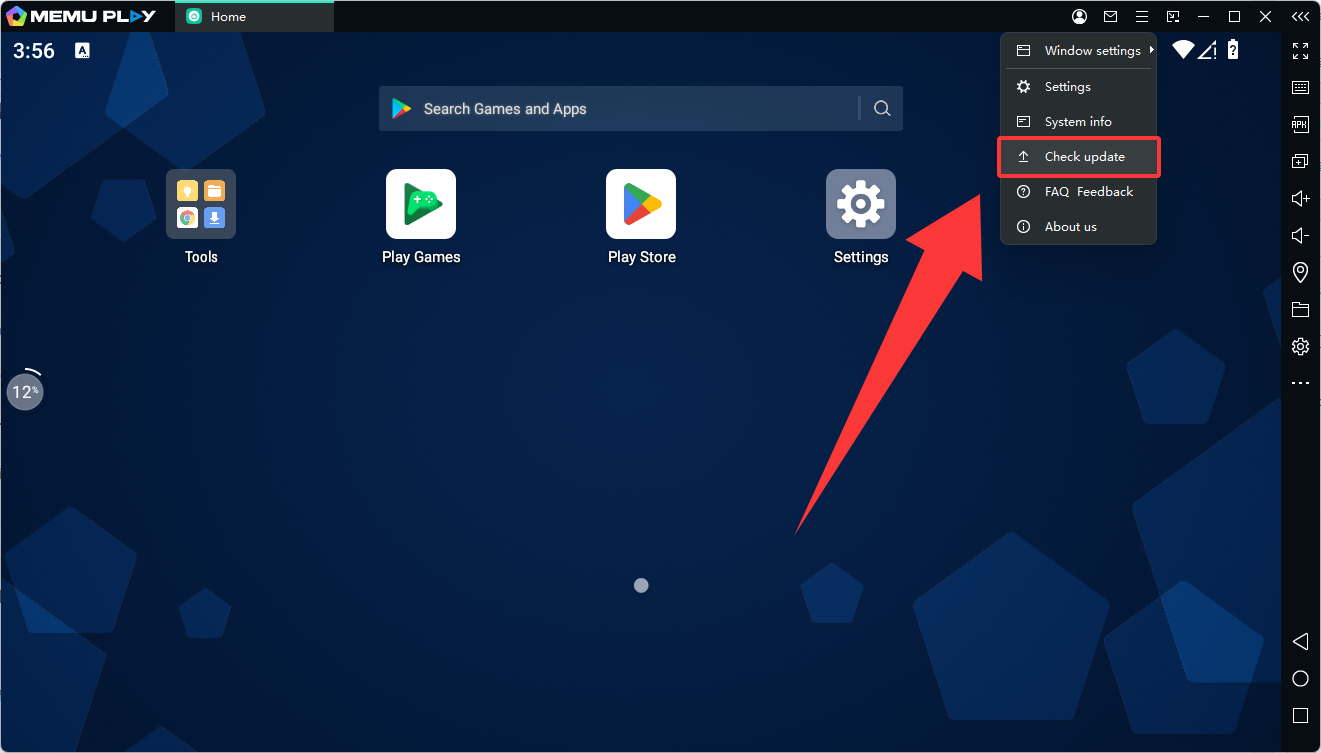
Click the Menu (three lines) in the top-right corner.
-
Select Check for Updates.
-
If a new version is available, follow the prompts to download and install it.
Method 3: Install Using the Offline Installer
If the update fails or the web installer is slow:
-
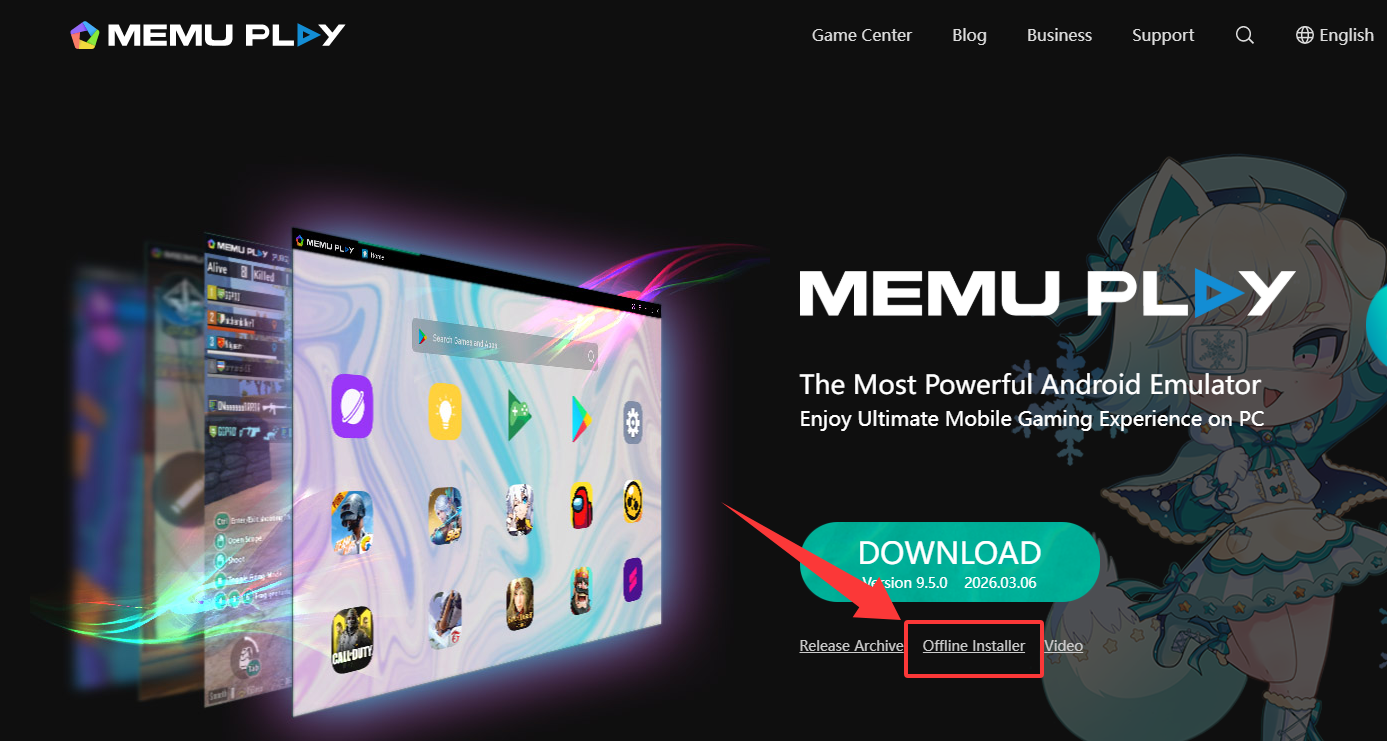
Download the offline installer from the official site.
-
Run the installer as Administrator.
-
Complete the installation to update MEmu.
Tips Before Updating
-
Close all running emulator instances.
-
Back up important emulator data if necessary.
-
Ensure enough disk space for the update.
✅ After updating, restart MEmu Play to enjoy the latest features, performance improvements, and bug fixes.