
Judas
Updated
Current Version
Offered By

With your passion for Judas, you shouldn’t have to limit yourself to the small screen of a phone. Play like a pro and take full control of the game using a keyboard and mouse. MEmu gives you everything you’re looking for. Download and play Judas on PC. Play as long as you want — no more worries about battery life, mobile data, or unexpected calls. The all-new MEmu 9 is the best way to play Judas on PC. With our expertly designed keymapping system, Judas feels just like a real PC game. The MEmu multi-instance manager lets you run two or more accounts on the same device at the same time. Most importantly, our exclusive emulation engine unlocks your PC’s full potential, delivering smooth and seamless performance.
Show more
Download Judas on PC with MEmu Android Emulator. Enjoy playing on big screen. Judas is an upcoming narrative-driven first-person shooter developed by Ghost Story Games and marks the return of acclaimed creator Ken Levine since BioShock Infinite.
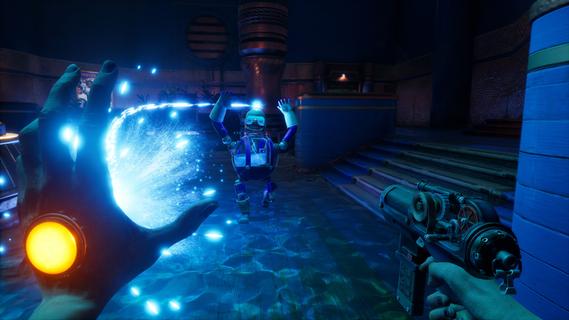
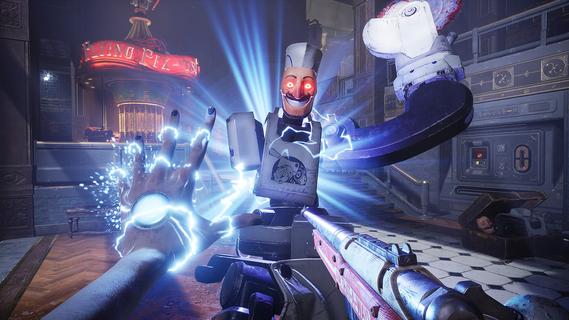
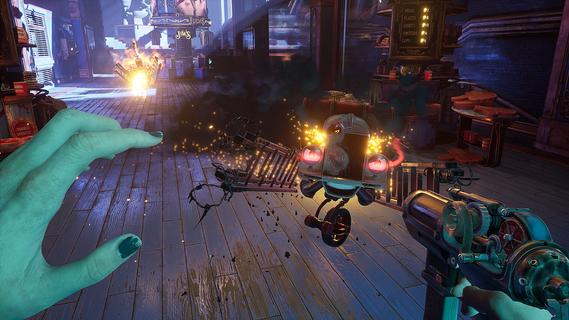
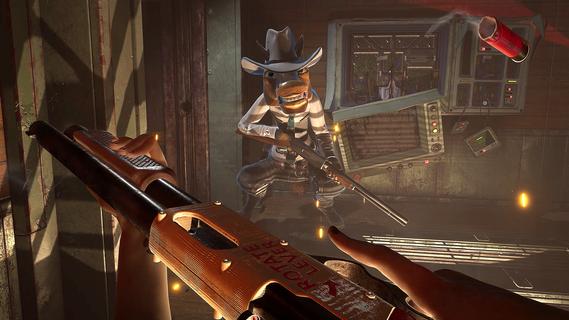
Judas is an upcoming narrative-driven first-person shooter developed by Ghost Story Games and marks the return of acclaimed creator Ken Levine since BioShock Infinite. Set aboard the disintegrating generation ship Mayflower, which is stranded in an asteroid field orbiting Proxima Centauri, the game thrusts players into the role of Judas—a mysterious, troubled hacker and self-taught engineer who must navigate a fractured society and a desperate escape plan. The core of Judas’ gameplay lies in its blend of traditional FPS mechanics with innovative narrative and roguelike elements. Players wield a gun in one hand and a variety of “organic powers” in the other, allowing for dynamic combat against hostile robots and mutated creatures that have run amok aboard the failing ship. The combat is strategic, encouraging the use of environmental elements—such as electrifying water puddles to damage multiple enemies—and hacking, which lets players manipulate machines and security systems to turn foes against each other or solve puzzles. Narratively, Judas employs a “pseudo-procedural” storytelling approach, where handcrafted story elements are modularly combined to create a unique experience each playthrough. Player choices have significant consequences, shaping alliances and rivalries with the ship’s key figures—Tom, Nefertiti, and Hope—who exist as holograms after losing their physical bodies. Each leader has distinct ideologies and goals: Tom wants to maintain the mission’s original course, Nefertiti believes in human-machine fusion for evolution, and Hope seeks to end her suffering. Aligning with or opposing these factions influences the story’s progression and the player’s survival chances. A standout feature is the roguelike mechanic: when Judas dies, she is “reprinted,” allowing players to upgrade abilities and stats, encouraging experimentation and repeated attempts. The ship’s layout and challenges also shift with each run, ensuring fresh experiences and replayability. This system, combined with a branching narrative, means no two playthroughs are alike. Adding emotional depth and companionship is Scutty, a robot dog who assists Judas in exploration and possibly combat, reminiscent of iconic sidekicks in narrative shooters. The game’s world is richly detailed, with audio logs and environmental storytelling revealing the tragic history of the Mayflower and its passengers. Judas stands out by focusing on player agency, strategic decision-making, and a morally complex story set in a sci-fi universe. It is not just about shooting enemies but also about navigating fractured relationships, making tough choices, and deciding whether to repair what was broken or let the ship—and its doomed mission—burn. With its unique mix of FPS action, hacking, organic powers, and a dynamic narrative structure, Judas promises a deeply immersive and replayable experience for fans of story-driven shooters.
Show more

1. Download MEmu installer and finish the setup

2. Start MEmu then open Google Play on the desktop

3. Search Judas in Google Play
Install
4. Download and Install Judas
5. On install completion click the icon to start

6. Enjoy playing Judas on PC with MEmu
MEmu Play is the best Android emulator and 100 million people already enjoy its superb Android gaming experience. The MEmu virtualization technology empowers you to play thousands of Android games smoothly on your PC, even the most graphic-intensive ones.
Bigger screen with better graphics; Long duration, without limitation of battery or mobile data.
Full Keymapping support for precise control of keyboard and mouse or gamepad.
Multiple game accounts or tasks on single PC at one time with Multi-Instance manager.
Play Judas on PC by following steps:

















































