Rune Factory: Guardians of Azuma
Updated
Current Version
Offered By

With your passion for Rune Factory: Guardians of Azuma, you shouldn’t have to limit yourself to the small screen of a phone. Play like a pro and take full control of the game using a keyboard and mouse. MEmu gives you everything you’re looking for. Download and play Rune Factory: Guardians of Azuma on PC. Play as long as you want — no more worries about battery life, mobile data, or unexpected calls. The all-new MEmu 9 is the best way to play Rune Factory: Guardians of Azuma on PC. With our expertly designed keymapping system, Rune Factory: Guardians of Azuma feels just like a real PC game. The MEmu multi-instance manager lets you run two or more accounts on the same device at the same time. Most importantly, our exclusive emulation engine unlocks your PC’s full potential, delivering smooth and seamless performance.
Show more
Download Rune Factory: Guardians of Azuma on PC with MEmu Android Emulator. Enjoy playing on big screen. Welcome to Rune Factory: Guardians of Azuma, the latest installment in the beloved Rune Factory series.
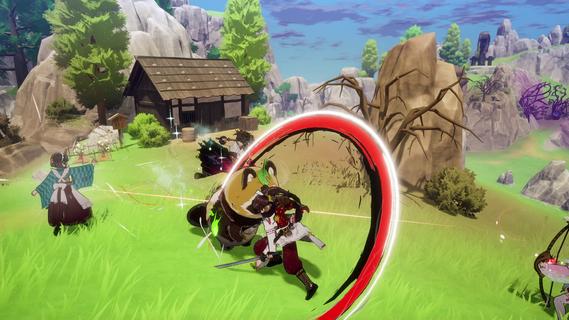
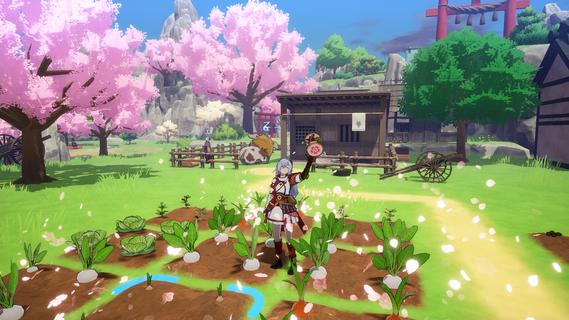
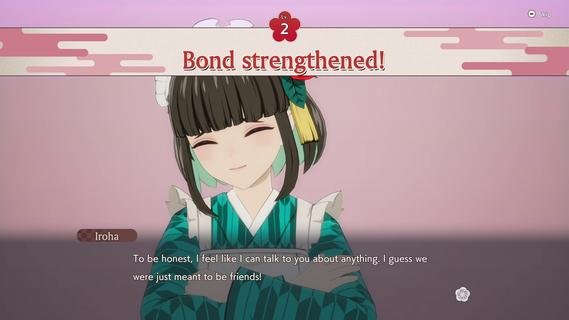
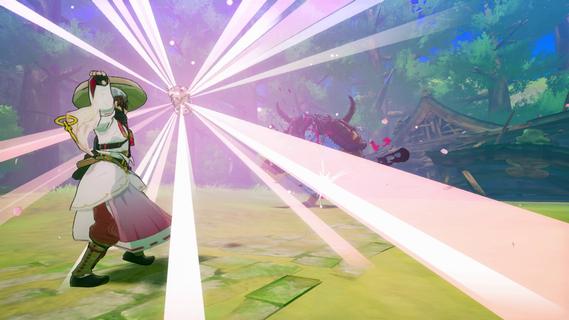
Welcome to Rune Factory: Guardians of Azuma, the latest installment in the beloved Rune Factory series. Set in the vibrant eastern nation of Azuma, this game offers a fresh take on the classic action-RPG and life-simulation gameplay that fans have grown to love. As an Earth Dancer, you are tasked with restoring the land, its people, and even its gods, using the power of dance and sacred treasures to purify the corrupted environment. The Story of AzumaThe world of Azuma has been ravaged by the Celestial Collapse, a catastrophic event that shattered the land and disrupted the flow of runes, causing the disappearance of nature's deities. Amidst the ruins and dwindling hope, you awaken with a mysterious voice guiding you to harness the power of an Earth Dancer. You can choose to play as either Subaru or Kaguya, two protagonists whose destinies are intertwined by mysterious forces. The character not chosen becomes a supporting NPC and a potential romantic interest. Gameplay MechanicsFarming and Village BuildingIn Guardians of Azuma, farming is not just about tending to your crops; it's about rebuilding entire villages. You will manage four distinct towns: Spring, Summer, Autumn, and Winter Villages, each with its own seasonal theme and charm. Using a grid-based interface, you can customize your farms and villages by placing buildings and decorations strategically to attract people back to these areas. The village's "Scenic Score" increases as you enhance its beauty and functionality, providing stat boosts to your character and the village's productivity. Combat and ExplorationCombat in Guardians of Azuma is dynamic and engaging. You will use sacred treasures like the parasol, drum, and flame sword, which serve dual purposes in both combat and farming. These treasures can be used to heal allies, accelerate crop growth, or deal elemental damage to enemies. The game introduces new weapons such as the bow and talisman, allowing for a variety of combat styles. Exploration is also a key part of the game. You will venture into vast landscapes inspired by Japanese culture, discovering new locations and encountering unique creatures. Befriended monsters can be ridden for faster travel, and each character in your party has a unique fighting style, allowing for strategic team composition. Social Interactions and RomanceThe life simulation aspect of Guardians of Azuma is rich and immersive. You can form bonds with the locals, including romance options that are fully voiced. The game supports same-sex relationships, offering a diverse and inclusive experience. Dialogue options with romanceable characters consume in-game time and have associated bond levels, which increase as you adventure together. Visuals and AtmosphereThe game features vibrant visuals with a focus on reds and blacks, creating a stunning contrast to the duller hues of previous titles. The character designs are beautifully crafted, with smooth animations that enhance the overall gaming experience. ConclusionRune Factory: Guardians of Azuma is set to launch on May 30, 2025, for both Nintendo Switch and PC via Steam. This game promises to deliver a captivating blend of farming, combat, and life simulation, all set against the backdrop of a richly detailed Japanese-inspired world. With its innovative gameplay mechanics and engaging storyline, Guardians of Azuma is poised to delight both new and veteran fans of the series. Whether you're exploring the lush landscapes of Azuma, rebuilding its villages, or forming lasting bonds with its inhabitants, this game offers an adventure that will leave you enchanted and eager for more.
Show more

1. Download MEmu installer and finish the setup

2. Start MEmu then open Google Play on the desktop

3. Search Rune Factory: Guardians of Azuma in Google Play
Install
4. Download and Install Rune Factory: Guardians of Azuma
5. On install completion click the icon to start

6. Enjoy playing Rune Factory: Guardians of Azuma on PC with MEmu
MEmu Play is the best Android emulator and 100 million people already enjoy its superb Android gaming experience. The MEmu virtualization technology empowers you to play thousands of Android games smoothly on your PC, even the most graphic-intensive ones.
Bigger screen with better graphics; Long duration, without limitation of battery or mobile data.
Full Keymapping support for precise control of keyboard and mouse or gamepad.
Multiple game accounts or tasks on single PC at one time with Multi-Instance manager.
Play Rune Factory: Guardians of Azuma on PC by following steps:


















































